
What Is a Good Typing Speed for Data Entry? Average Rates
Imagine your brain is working faster than your fingers. You know better what you plan to type, but absurdly, you can’t do it. It is really frustrating for you.
Again, you may think about how other people type, uninterrupted, wondering how they do it. This gives a feeling like you’re running a race with weights on your ankles. Thus, you may worry that skills are holding you back from a better career.
You want to finish the task quickly; therefore, you can recover your time. It is not just about typing words; it is about feeling suitable at your work. You deserve to feel confident at your keyboard.
Let’s discover the accuracy, speed, and consistency you actually need to succeed.
What is a Good Typing Speed Rate for Professional Data Entry?
Significantly, a competent speed on input entry usually counts between 60 and 80 Words Per Minute (WPM). Before hiring, employers check this range for a professional role. It allows for efficiency without causing tiredness.
However, speed requirements depend on the specific job duties; some roles focus on keystrokes per Hour (KPH) rather than words. It is common for professionals to enter multiple codes into their system. A competitive rate is often between 10,000 and 12,000 KPH.
Maintaining consistency in digital records, find a data entry virtual assistant who keeps your data requirements consistent. Additionally, a high-speed professional can sometimes score 90 to 100 WPM. Remarkably to note, consistency brings success in the long term rather than a short burst of speed.
Average Typing Speed for Data Entry Jobs
A good typing speed in the workplace generally counts 60 to 90 WPM. On the other hand, average typing speed counts typically from 40 to 60 WPM. Experienced professionals usually operate between 55 and 70, but advanced typists often exceed 80 WPM.
A specialized online data entry service may demand higher speeds than average. See requirements for average typing for data entry in different segments:
- For Entry-Level Data Entry: Usually, the employer demands 60-80 WPM.
- Experienced or Specialized Position: It generally demands 80-100+ WPM
- For Numeric (10-Key) Entry: The employer demands 80,000-10,000 KPH as per measuring Keystrokes Per Hour (KPH).
Data Entry Typing Speed Chart (WPM Breakdown)
This chart helps visualize where your skills stand in the current market.
| Speed Level | WPM Range | KPH Estimate | Professional Status |
| Below Average | 0 – 35 | Under 6,000 | Needs improvement. |
| Average | 36 – 50 | 6,000 – 8,500 | Acceptable for beginners. |
| Proficiency-Level | 51 – 70 | 9,000 – 11,000 | Hireable for most jobs. |
| Advanced-Level | 71 – 90 | 12,000 – 14,000 | Highly competitive. |
| Expert-Level | 90+ | 15,000+ | Top industry performers. |
Typing Speed vs Accuracy: What Matters More?
Accuracy is always more important than raw speed. A fast typist who makes mistakes is inefficient. You waste time correcting errors.
Employers typically require an accuracy rate of 98% to 99%. Significantly, common data-entry errors can cause financial losses or legal issues. A clean record at 55 WPM is better than a messy one at 80 WPM. Speed will follow as your muscle memory develops. Never rush if it compromises the data quality.
Good Typing Speed for Different Types of Data Entry Work
Different industries demand different speeds. The complexity of the data dictates the pace.
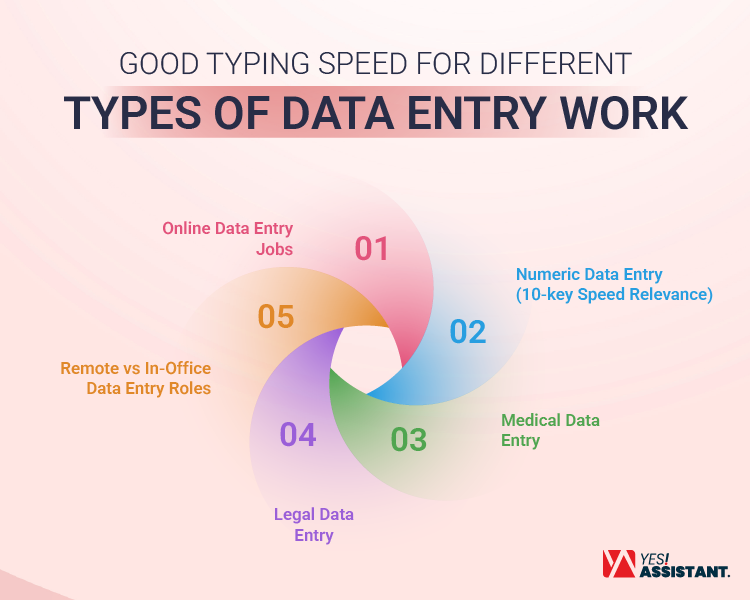
Online Data Entry Jobs
These jobs cover various tasks like form-filling or basic transcription. A speed of 50 to 60 WPM is usually sufficient. Many Data Entry professionals start in this range.
This work often involves switching between windows, and naturally slows down your raw typing results. Remember, reliability is the key metric here.
Numeric Data Entry (10-key Speed Relevance)
This role involves inputting numbers using the keypad. It is vital for accounting and finance roles. An input entry speed is measured strictly in KPH, with a good target being 9,000 KPH.
Expert numeric typists often hit 12,000 KPH with zero errors. You must learn to use the 10-key pad without looking. This “touch typing” for numbers is considered a specific skill.
Medical Data Entry
Medical records require extreme perfection. You deal with patients’ lives and health histories; therefore, one wrong number can be dangerous. Speeds around 50 to 60 WPM are acceptable here.
However, being familiar with medical terminology is crucial. It helps you type complex words faster. Companies can also outsource image data entry professionals for medical records to ensure accuracy.
Legal Data Entry
Besides all other entry jobs, legal transcription is demanding. The employer is setting tight deadlines, and the documents are long. You often need speeds above 70 WPM.
Again, you must also handle complex formatting. Additionally, Latin terms are common in legal documents. Understanding these terms helps maintain flow; precision is inflexible in this field.
Remote vs In-Office Data Entry Roles
In-office roles may involve direct supervision. Managers might monitor your activity in the physical office. This creates pressure to maintain high speeds.
Remote work often focuses on project completion. You can manage your own time according to your flexibility needs. However, faster typing means you finish Document Data Entry tasks sooner, and allows you to take on more clients.
How to Test Your Typing Speed for Data Entry?
Test your information entry speed; you can use different free typing test sites for accuracy. You need an accurate baseline to track progress.
- Use Online Tests: Platforms like Typing.com offer free assessments.
- Focus on Net Speed: This calculates WPM minus your errors.
- Test KPH: Find a test specifically for the 10-key number pad.
- Simulate Real Tasks: Type a page from a physical document.
- Monitor Processing: Ensure your Data Processing speed includes formatting time.
Test yourself weekly. This helps you see improvements and identify sticking points. However, if your business needs high-speed, quality entry support, find an affordable data entry service provider to fill the demand.
How to Improve Typing Speed for Data Entry Work?
While aiming to improve your typing speed, you must visit various websites and type the information provided on those sites. An input entry work includes different elements, like texts, numbers, decimals, and data/time. For being a high-quality expert, you must have an improvement strategy instead of expertise in random typing speed.
- Learn How to Type Without Pressing Fingers Only: Do not look at your fingers, but rather stare at your monitor.
- Fix Your Setting Position: Check which positions, chair, and highest of the table give you the most comfort to type smoothly.
- Learn to Use Shortcuts: Be a master of keyboard shortcuts to process bulk entry using keyboard shortcuts. This is like “Ctrl+C” and “Ctrl+V”.
- Set Goals: Prepare yourself to learn and work with small improvements every week.
- Take Breaks: Determine when you need an interval. Take a short break to reenergize yourself
- Practice Daily: Maintain consistency through practice typing daily.
Common Typing Speed Mistakes That Insecure Data Entry Beginners Career
You are certainly aware of various data entry sites that provide employers with lots of professionals’ profiles. From there, interested companies can hire experts at very reasonable costs. Just think accordingly, you’re fighting with an already positioned expert before entering this sector.
But if you’re planning to provide support to a hiring person, you should be aware of making common data-entry mistakes. You may adopt some bad habits that limit your potential.
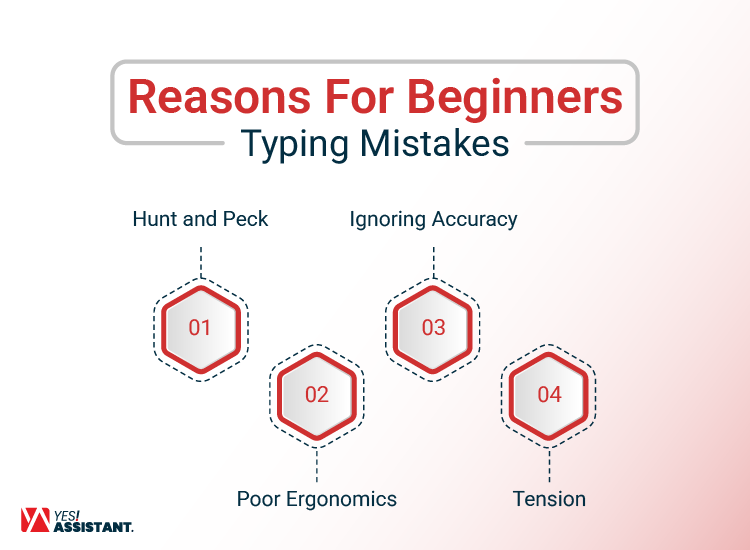
- Hunt and Peck: Searching keys is unnecessary, and pressing with one to two fingers destroys your typing speed.
- Poor Ergonomics: Incorrect placement of your wrists causes neck or back pain and headaches.
- Ignoring Accuracy: Typing aimlessly leads to costly data-entry errors that harm your reputation.
- Tension: If you’re typing without controlling your brain and hands, you cannot move quickly. Relax first before maintaining consistency.
- Looking Down: Keeping eyes on the keyboard or the document slows typing. This decreases your accuracy.
Frequently Asked Questions About Data Entry Typing Speed
See the frequently asked questions from users or beginner queries.
What is the Minimum Typing Speed for Data Entry?
Usually, it requires a minimum of 40 to 50 WPM, which is a minimum typing requirement for meaningfully safe and secure your entry-level position.
Is Typing Speed More Important Than Experience?
The position is “Data Entry,” therefore, you should have a good typing speed rather than experience. Also, record entry has the prime of setting key metrics.
Is 40 WPM Good For Data Entry?
This is the average requirement to enter the sector. You would like to improve yourself to advance your career.
Can You Get a Data Entry Job With Low Typing Speed?
Yes, it may be possible, but it is harder to manage a job with a low typing speed. You find a document verification job rather than input.
What is a Good Numeric Typing Speed for Data Entry?
Aim for roughly 9,000 to 10,000 KPH. This is the standard for data-heavy financial roles.
Final Thoughts: What is a Good Typing Speed for Data Entry?
Speed is a vital tool for any data professional. It determines your efficiency and earning potential. While 60 to 80 WPM is the goal, never sacrifice accuracy.
A clean database is worth more than a fast one. Start by testing your current skills. Commit to daily practice and proper technique.
You will see your numbers climb. Confidence comes with competence. Keep typing, stay accurate, and trust the process.