
Metadata on Data Entry Explained: Why It Matters?
Metadata is defined as “data about the data” and provides a structured context for your raw information. By utilizing descriptive, structural, and administrative metadata, organizations can efficiently track file origins, formats, and usage rights. In data entry, metadata does more than organize; it enables automated validation rules that eliminate errors and ensure compliance.
This blog explores how applying metadata to your data entry workflows accelerates information recovery, secures your database, and strengthens data-driven business decisions.
What is Metadata in Data Entry?
Metadata is simply data that describes your actual data. This is like providing a label on a file folder, detailing the content of a webpage or the technical details of an image. Therefore, the system can instantly organize and find information.
Moreover, in data entry, metadata is defined as “metainformation.” During recording, metadata explains what the data is, where it comes from, when it was created, and who recorded it. It improves accuracy, accessibility, organization, tracking, and trust in your data system.
- This helps you to understand data quickly without opening or reading the full content.
- Metadata describing the details helps you to search, organize, and manage your required resources immediately.
Types of Metadata Used In Data Entry
When you enter data into your designated area, you’re just dealing with three specific bins. Understanding these categories helps you keep digital files organized. Therefore, you can easily track, organize, and properly manage without problems.
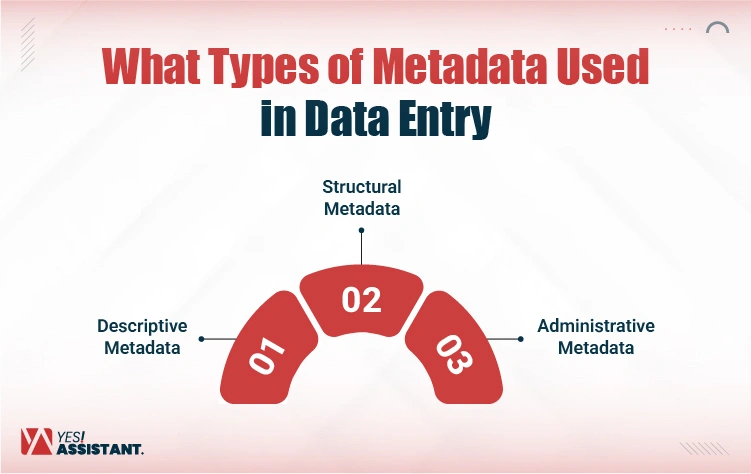
Descriptive Metadata
According to the suggested name, metadata describes the content of the document. Descriptive metadata acts as the “ID card” of your data. This helps you to identify and discover it, simply describing what about the content makes it findable later.
What it includes: Descriptive metadata provides you with brief insights into a file’s information. Which includes titles of the files, a summary, and who prepared it, with a unique searchable keyword.
Why this is important: If you enter the customer invoice details without marking it with a specific tag, you might lose your file forever in the system. Descriptive tags ensure your search bar actually works.
Example of Descriptive Metadata: You enter into a library and search for a book by a specific book name, author name, and keyword of the book. This makes it easy to track your desired book by key details and find it more easily.
Structural Metadata
Descriptive metadata is a label of the data, and structure metadata acts as “glue.” It gives you a different explanation of every piece of data, how it fits with each other to form a complete view. This helps track the relationships between every part of the structured data.
What it includes: It describes every part of the data that is connected to each other. This includes page numbers, chapter headlines, or master detail in a database.
Why this is important: In data entry, this provides a complete view of the input materials in a structured, predefined order. It recognizes the computer from page 1 to the last page of the file with an organized, structured sequence.
Example of Descriptive Metadata: Suppose you need instant information that exists in the middle of an e-book, but you don’t know the specific page number. At this point, structure metadata organizes your ebook with chapters, sections, and page numbers. Thus, you can find your expected information easily by navigating the content set in the correct order.
Administrative Metadata
Administrative metadata helps you to manage, maintain, and control your digital files. It ensures your files follow GDPR/HIPAA compliance and security rules, like documenting file format, ownership, and user restrictions. It doesn’t give your insights into the content, but ensures rules surrounding the file, which is essential for long-term storage and data security.
What it includes: This mainly provides you with the file type (PDF, JPEG), creation data, who owns the rights, and gets access permission. Administrative metadata includes technical information, access and right management, lifecycle management, and archival and preservation data.
Why this is important: Administrative metadata helps you to follow regulatory rules and regulation navigating usage and source. Effective management of your archives helps you to protect against unauthorized access.
Example of Descriptive Metadata: In the banking sector, administrative metadata tracks the full lifecycle of a loan application. This includes who started the application (creation date and user name) and which loan officer approved it (authorized log). For compliance with financial regulations, who tags it with a retention policy to be archived 7 years before deletion.
How Metadata is Applied During Data Entry?
Significantly, metadata works as a hidden rulebook for your data entry forms. It not only describes your data but also actively controls its quality. When you set up your database, metadata is inserted right at the “point of capture,” the exact moment you start typing. This ensures that every piece of your information is standardized and follows the rules strictly.
Thus, you can stop human error before inputs enter the system. It’s a better to find a data entry virtual assistant who helps you to generates accurate and consistent information.
Common Metadata Elements In Data Entry Systems
To keep data clean, systems depend on specific metadata elements that guide the user. Here is how these background rules function in real-time with clear examples:
Field Name and Description: This is the clear label on the box. It narrates to the users exactly what specific information is provided under specific elements or sections, or sub-sections. Thereupon, you don’t need to search with a guess about the content.
- For example, if a field is labeled with “DOB,” that might confuse users. Here, metadata description is clearly classified: “Date of Birth (Enter as Month/Day/Year).”
Data Type and Length: This specifies and restricts your file formats. Metadata tells the system to accept rules-based specific inputs and limits the character count according to data fits.
- For example, suppose a zip code set with numeric rules and limited to exactly 5 digits. If you try to record or type “ABCDE” or “123456,” the system must block it. This certainly helps you to avoid the risk of poor entries.
Required vs. Optional Status: This marks what is critical for you. It prevents users from hitting “submit” until the mandatory data points are filled in, ensuring no vital records are missing.
- Example: You cannot save a new customer profile without the Last Name (Required), but you can skip the Fax Number (Optional).
Validation Rules: Metadata-driven validation rules help you to keep information free from common data entry errors. Data validation benefits you by modifying data without changing application code, applying immediate validation, and creating a dropdown list from valid information.
- For example, suppose you mistakenly enter an “Order date” of 1990; the validation rule immediately flags the error because the order cannot be placed in the past.
Allowed Values or Ranges: This limits choices to a safe list. Instead of typing freely, the user must select from pre-set options to ensure total consistency across the database.
Example: Instead of typing “California,” “Cali,” or “CA,” the user must pick from a standardized dropdown menu of 50 State Codes.
Top 5 Reasons Why Metadata Matters In Data Entry
Metadata isn’t just technical filler; it is the safety net that keeps your database usable. Without it, data entry becomes a free-for-all of typos and mismatched formats. Importantly, you must keep your database information clean and secure, as inaccurate data-entry affects your business-decisions. Here is why it is absolutely critical to keep your records clean.
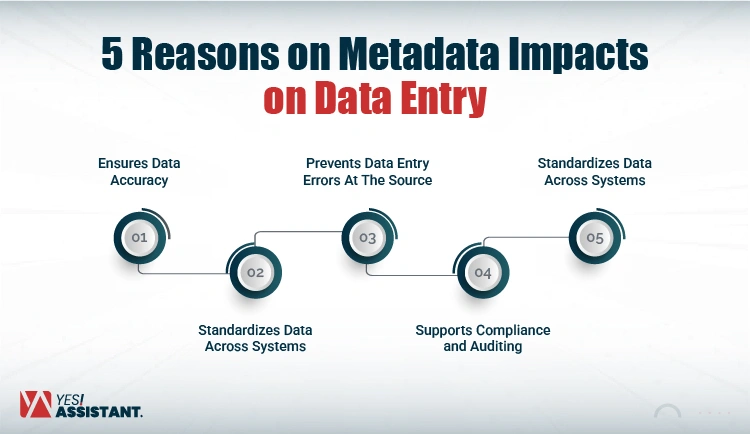
1. Ensures Data Accuracy
Metadata acts as a definition guide, ensuring that what you think you are entering matches exactly what the system expects. It clears up ambiguity instantly, and the data is actually useful later.
Example: Instead of an unclear column simply labeled “Price,” metadata defines it as “Unit Price in USD.” This ensures no one accidentally enters the price in Euros or lists the cost for a whole case instead of a single item.
2. Prevents Data Entry Errors At The Source
Strict validation rules stop wrong inputs. Metadata stops making mistakes before they can even be saved. It acts as a security guard against messy typing.
Example: If a “Phone Number” field defines the metadata as Numeric Only, the system will physically refuse to let you type the letter “O” instead of the number “0,” stopping a common typo in its tracks.
3. Standardizes Data Across Systems
Metadata acts as “associated with the data” and forces consistency in recording. This is vital when different departments or software programs need to share the same information without confusion. This ensures you have unique entries across several branches or territories using multiple data entry software.
Example: It forces every employee to enter country codes the same way (such as always recording “USA,” but never “U.S.A” or “America”). This ensures that when you filter for “USA” customers, you can retrieve all relevant information as expected.
4. Enables Automated Validation
System validation allows the computer to double-check your work. The metadata rules run logic in the background to flag things that simply don’t make sense physically or logically.
Example: Suppose you enter a project “Start Date” that is after the “End Date,” using a Google Sheet data validation rule. The system flags your wrong input immediately. This ensures data integrity, logical consistency, and accurate reporting within the system.
5. Supports Compliance and Auditing
Metadata creates a digital paper trace. It tracks the history of the data, which is essential for legal reasons, security, and fixing problems later.
Example: Administrative metadata records exactly who changed a client’s bank details and when they did it. If fraud occurs, you have an exact record of the event for auditors.
Conclusion
The metadata accelerates data accuracy and consistency, and it’s also the backbone of business decision-making. It transforms your raw inputs into structured, meaningful, and usable assets. Besides, metadata describes your data structure and administers different forms of content.
Furthermore, metadata ensures your database remains a clean, organized rather than a messy storehouse of information. On different platforms, like content management systems and digital asset management systems, metadata provides a convenient way to search, organize, and display content. Investing time in setting up strong metadata rules upfront saves countless hours of searching and fixing errors down the road.
FAQs
Can Metadata Help With Compliance?
Yes. It tracks exactly who changed data and when. This creates the audit trail needed for legal accountability and security.
How Does Metadata Prevent Errors In Data Entry?
It acts as a gatekeeper. By enforcing formats and rules, it blocks incorrect inputs before they can even be saved.
Can Metadata Make Data Easier To Search And Analyze?
Absolutely. It acts like a tagging system, allowing you to filter and find specific records instantly instead of digging manually.
What Happens If Metadata Is Missing?
It becomes “dark data.” Without labels or context, your files become unsearchable, disorganized, and impossible to trust.