
How to Reduce Invoice Processing Time: 9 Strategies
To reduce invoice processing time, automate repetitive tasks, centralize the whole intake system, simplify workflow and resolve exceptions quickly. Making these changes helps accounts payable teams to move invoices faster from receipt to the payment process.
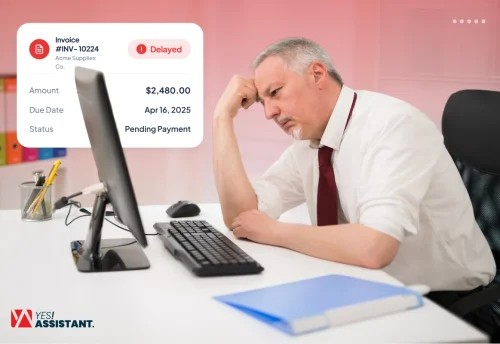
Invoice processing can slow down because of factors like manual work, data entry, paper or PDF invoices, inconsistent purchase orders, and disconnected systems.
This guide will teach you 9 practical ways to reduce invoice processing time. You will also learn how AI agents and E-invoicing can improve workflow. Along with a 30/60/90-day plan for improving invoice cycle time.
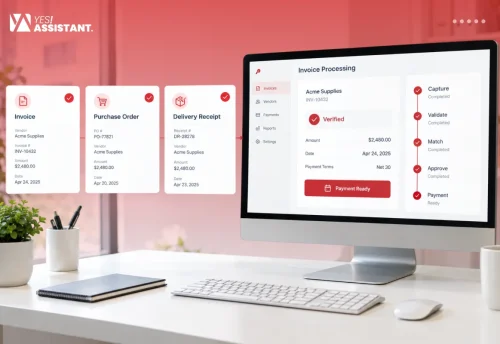
Key Takeaways
- Measure invoice processing end-to-end, from receipt through verification, matching, approval, and payment.
- Centralize invoice intake, automate data capture to reduce manual processes and delays in processing.
- Utilize PO matching, automated approval routing, reminders and exception queues to ensure invoices are processed.
- Combine e-invoicing and AI agents to automate data capture, monitoring of invoice workflow and follow-ups.
- Apply a 30/60/90-day plan to establish invoice processing baselines, improvement processes and measure invoice cycle time.
What is Invoice Processing Time and How Do You Measure It?
Invoice processing time is the total time required to receive, verify, approve and process payment. It is measured from receipt to payment and it represents the end-to-end processing time. This is one of the most crucial KPIs for measuring the entire AP process. Here is how you can measure it:
How to Measure: To measure invoice processing time, track the time it takes to move an invoice from receipt to approval for payment. For an end-to-end measure, track the processing time while the invoice goes through: Invoice receipt, Invoice Verification, PO matching, Approval, Payment Processing, and Record Keeping.
Formula: Average invoice processing time = Sum of individual invoice processing times / Total number of invoices processed.
Example: Sum of individual processing times = 15 days
Number of invoices processed = 5
Average invoice processing time = 15/5 = 3 days per invoice
9 Ways to Reduce Invoice Processing Time
Reducing invoice processing time means removing delays at each processing step. Removing manual labor, centralizing the process and using artificial intelligence in every step for automation can reduce invoice processing time drastically. The 9 ways mentioned below focus on practical methods of reducing overall time of invoice processing in accounts payable.
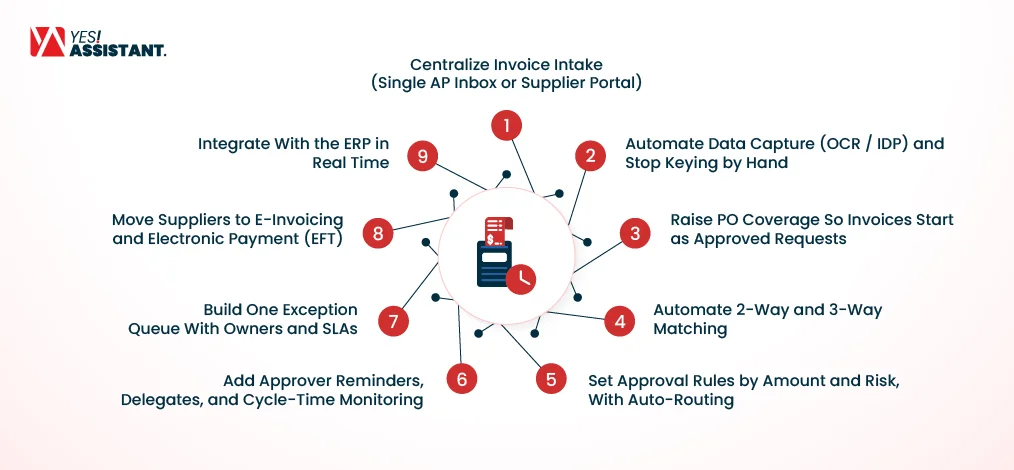
1. Centralize Invoice Intake (Single AP Inbox or Supplier Portal)
Centralizing invoice intake by routing all incoming papers such as invoices, contracts, and POs through a single AP inbox or supplier portal helps reduce overall time.
How to Do It: Set one authorized AP inbox or supplier portal for email and electronic invoices. Automatically capture those incoming invoices and run them through the processing workflow.
Expected Impact: Fewer unprocessed invoices and less time spent capturing invoices, including sorting, searching, and manual distribution.
Best for: AP teams that receive documents from multiple channels and have a hard time capturing and distributing invoices.
2. Automate Data Capture (OCR / IDP) and Stop Keying by Hand
Automated invoice data capture using Optical Character Recognition (OCR) and Intelligent Document Processing (IDP) reduces the need for manual keying and reduces processing time.
How to Do It: Implement OCR and IDP to capture invoice data, including vendor name, invoice number, date, amount and purchase order. Enter this data directly into your invoice processing workflow without keying it manually.
Expected Impact: Reduces manual data entry, reduces the chance of mistyping, speeds up the entire data capture process and directly moves invoices from data capture to verification and matching.
Best for: AP teams processing large numbers, spending hours on manual invoice data entry and facing mistyped invoice data issues.
3. Raise PO Coverage So Invoices Start as Approved Requests
Increasing PO coverage can reduce processing time by giving the AP team a predefined reference.
How to Do It: Define which purchases require a PO and establish clear rules for legitimate non-PO invoices. Treat invoices that should have a PO but do not as exceptions.
Expected Impact: Reducing manual labor such as manual verification, clarification, and approval. Speeding up the processing workflow by removing manual delays.
Best for: AP teams with high volume of non-PO invoices or inconsistent purchasing behaviour.
4. Automate 2-Way and 3-Way Matching
Automating 2-way and 3-way invoice matching helps compare the invoice with the purchase order and, for 3-way matching, the goods receipt, so the AP team only has to review invoices that fail this matching.
How to Do It: Apply 2-way matching to compare invoice and PO details based on configured fields such as supplier, quantity, and price. Use 3-way matching when the process also requires comparison with a goods receipt or receiving record.
Expected Impact: Faster invoice processing by automatically matching invoices and moving them to the next stage. Meanwhile, the mismatches and exceptions are sent for review.
Best for: Businesses that process a high volume of PO-based invoices. Especially those who require receipt confirmation.
5. Set Approval Rules by Amount and Risk, With Auto-Routing
Automating approval rules helps send the invoice to the right approver based on factors such as invoice amount, vendor, department, and risk level.
How to Do It: Set rules based on different invoice amounts, risk levels, and departments. Automatically send each invoice to the right person responsible for the level of responsibility without waiting for manual handoffs.
Expected Impact: Reduces routing delay time by eliminating manual handoffs. Invoices go to the right approver based on amounts, enterprise and risk levels.
Best for: Accounts payable teams with multi-level approval systems and departments where specific approvers work on their specific levels.
6. Add Approver Reminders, Delegates, and Cycle-Time Monitoring
Automatic reminders, delegates and cycle-time monitoring prevent invoices from sitting idle when approvers are not available or approval is delayed for some reason.
How to Do It: Set automatic reminders for pending invoices and assign delegates for unavailable approvers. Monitor how long each approval stage takes to identify existing delays.
Expected Impact: Reduce invoice processing time, reduce delays, prevent invoices from hanging with unavailable approvers.
Best for: AP teams where invoices stay in the waiting queue for approval and are often delayed because of unavailable approvers.
7. Build One Exception Queue With Owners and SLAs
A centralized exception queue with set SLAs provides every issue a clear owner and expected deadline, preventing invoice exceptions from getting lost in emails or spreadsheets.
How to Do It: Route invoice mismatches, missing information, duplicate invoices, and other invoice exceptions to a queue. Set an appropriate owner for each exception with proper SLAs based on the owner’s skill set.
Expected Impact: Reduce invoice waiting time, prevent backlogs, and make exception handling and tracking more directed.
Best for: AP teams dealing with frequent invoice exceptions, multiple individuals or teams involved in resolution, or processes with no fixed ownership.
8. Move Suppliers to E-Invoicing and Electronic Payment (EFT)
Moving suppliers from manual paperwork to e-invoicing and electronic payment (EFT) reduces manual handling and speeds up payments.
How to Do It: Educate and encourage suppliers to submit digital invoices rather than paper or email attachments. Also influence them to use Electronic Funds Transfers (EFT) for eligible payments.
Expected Impact: Reduces manual data entry, eliminates delays caused by paper invoices, speeds up payment time with EFT.
Best for: AP teams that handle a high volume of paper and PDF invoices and have delayed payment issues.
9. Integrate With the ERP in Real Time
Proper integration with Enterprise Resource Planning (ERP) helps keep the invoices, purchase orders, and payment data synchronized and documented under a central database.
How to Do It: Connect the invoice processing system vitals with ERP, such as invoice data, PO details, approval status and payment information, so they can move between the systems easily. Run routine maintenance to prevent any critical issues in the future.
Expected Impact: improves communication, reduces duplicate data entry, and delays caused by transferring wrong information.
Best for: AP teams that have separate systems for invoice processing, payment processing and require frequent manual data transfer.
How AI Agents and E-Invoicing Change Invoice Processing
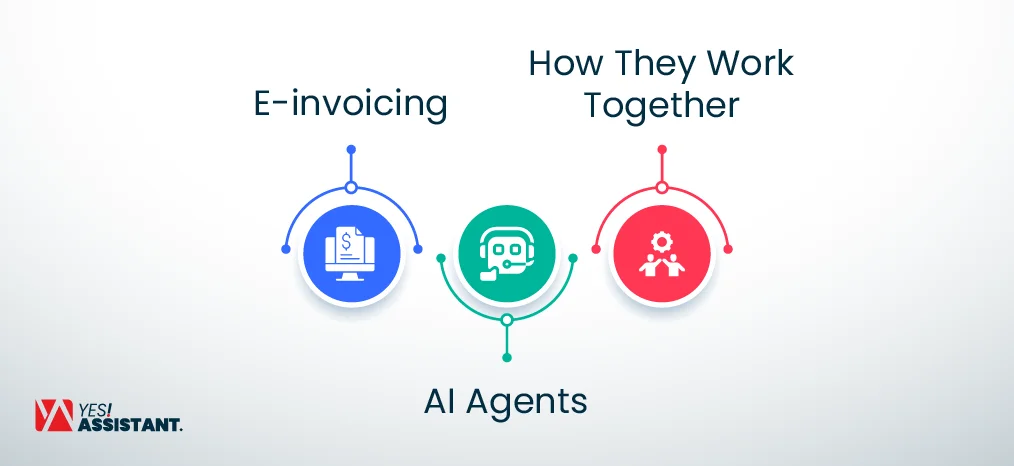
AI agents and E-invoice processing can improve invoice processing by reducing manual work, automating repetitive tasks and reducing processing time. E-invoicing improves how invoice data enters the system. On the other hand, AI agents help keep the process ongoing after the data enters the system.
E-invoicing
E-invoicing can provide electronic, structured, and machine-readable data that is easier to extract and process than paper invoices and many PDF invoices. Unlike PDFs that may require OCR or IDP for extraction, an e-invoice contains structured data that can be processed directly by supported systems. For example, when an e-invoice arrives in the system, the crucial data like amount, invoice number and PO number is easily extractable. They reduce the need for human intervention during data extraction.
AI Agents
AI agents can monitor workflows and, depending on the system and configured permissions, take actions such as follow-ups or escalations based on defined rules. For example, an agent can identify a document pending for 2 days and escalate it to the responsible approver. Depending on the system’s capabilities, it can also help identify potential invoice exceptions by comparing invoice data with relevant documents and route issues to a human employee for review.
How They Work Together
E-invoicing can reduce delays during data capture, while AI agents can reduce delays during approval and processing. For example, an e-invoice arrives and is first cross-referenced with the PO and is routed for approval automatically with both of them working together. Even if an approval is delayed, an AI agent sends reminders or escalates the delayed invoice based on predefined rules.
30/60/90-Day Plan to Cut Invoice Cycle Time
This 30/60/90-Day Plan gives the AP team an effective and structured way to reduce invoice cycle time. The goal is not to automate the entire process at once but to establish a baseline, fix the workflow and introduce automation in stages.

Days 1-30: Baseline Metrics, Clean Vendor Master Data, Centralize Intake
Start by measuring your current invoice cycle time, exception rate, approval time and STP to establish a clean and solid baseline. Clean duplicate or useless outdated vendor records and centralize the whole submission system through a single AP inbox or supplier portal.
Days 31-60: PO and Matching Rules, Approval Matrix
Define clear rules on when a PO is required; configure 2-way or 3-way matching based on type of purchase. Create an approval system that routes invoices based on amount, department, and risk levels.
Days 61-90: Pilot Automation or Agents on a Clean Subset, Track Touchless Rate
Choose a clean set of invoices with consistent data. Pilot automation on this group and track the touchless processing rate to determine how many invoices can be processed without manual intervention.
Example Target: Cycle Time Under 5 Days, PO Coverage Above 90%
Set targets based on your baseline, invoice mix, and process requirements. For example, you may target a specific reduction in cycle time or increase in PO coverage, then measure progress against the baseline.
Common Mistakes That Keep Processing Slow
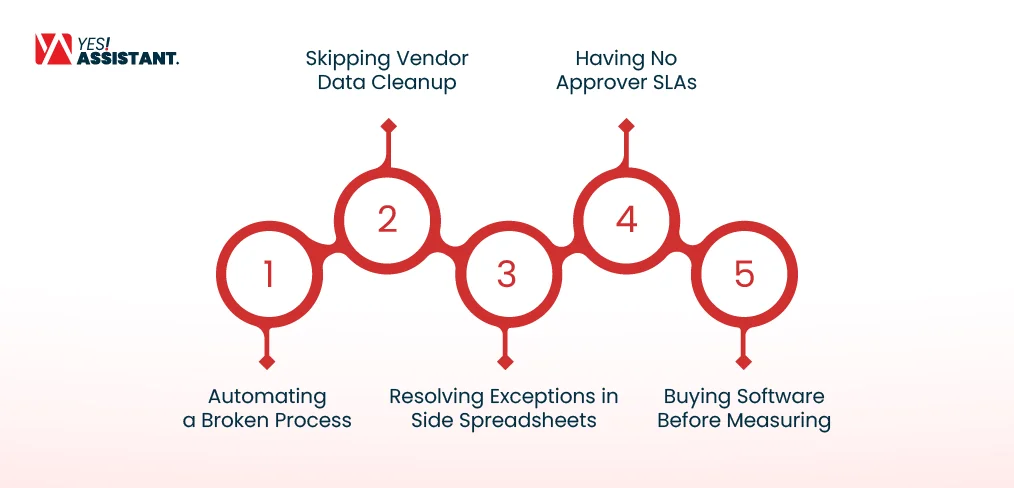
Even after implementing automation in invoice processing, some common mistakes can still keep the process slow. Avoid the below-mentioned mistakes to keep the process effective and hassle-free.
Automating a Broken Process
Automating a broken process does not fix the issue on its own; the bottleneck is still underlying. First, review the existing workflow, remove unnecessary approvals and manual handoffs, then proceed to automate the process.
Skipping Vendor Data Cleanup
Vendor records that are duplicate, outdated or incorrect can cause problems in validation and matching processes. Clean vendor master data before implementing automation to prevent future issues.
Resolving Exceptions in Side Spreadsheets
Resolving exceptions in separate spreadsheets can lead to unstructured data and delayed invoices. Always keep exceptions in a centralized queue with assigned owners and realistic deadlines.
Having No Approver SLAs
Having undefined SLAs can cause invoices to sit pending for days. Set proper approval SLAs, automate reminders and use delegations for unavailable approvers.
Buying Software Before Measuring
Buying software without measuring the current needs is a big mistake many people make. First, measure the current situation to establish a baseline and then proceed to buy automation software.
Conclusion
A faster invoice process comes from controlling the delays that occur during processing. These delays can be fixed with centralized digital intake, automated data capture, PO matching, approval routing, exception management, ERP integration, or an invoice processing service. But improvements should be measured rather than taken blindly. Start measuring your process and find out where the most time goes.
Then prioritize workflow changes based on the issues your process is currently facing. With consistent measurement checks and process improvements, AP teams can reduce invoice cycle time and handle invoices more efficiently.
FAQs
What is a good invoice cycle time?
According to “Ardent Partners’ AP Metrics that Matter 2025,” The best-in-class organizations process invoices in about 3.1 days, while the industry average is 9.2 days. A good invoice cycle means a short cycle time, indicating faster invoice handling and fewer approval days.
What is the fastest way to reduce invoice processing time?
Automating invoice data capture, PO matching, approval routing, and exception handling significantly reduces invoice processing time. Businesses that automate their invoice processing achieve processing times close to the 3.1-day best-in-class range according to “Ardent Partners’ AP Metrics that Matter 2025”.
How much does it cost to process an invoice?
According to “Ardent Partners’ AP Metrics that Matter 2025” benchmarks report, the best-in-class cost per invoice is about $2.78 and the industry average is about $9.40. Manual processing can cost around $15 to $40 based on labor, handling, and workflow complexity.
What is a touchless (straight-through) invoice rate?
A straight-through invoice rate means the percentage of invoices processed without any human intervention. The industry average STP rate is about 32.6%, while best-in-class organizations can reach about 49.2% according to “Ardent Partners’ AP Metrics that Matter 2025”.
How many invoices per month justify automation?
A typical AP team can process up to 360 invoices per day with an automated invoice processing system. This can go up to 7,920 invoices per month. The number of invoices can vary depending on the team size, invoice volume, and automation system.