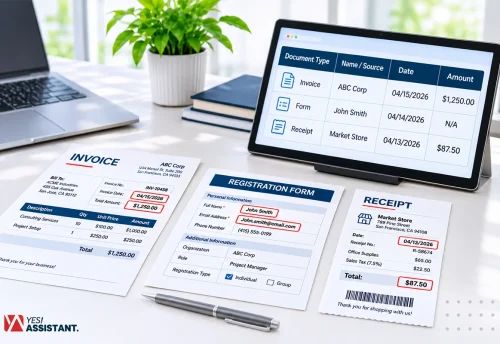

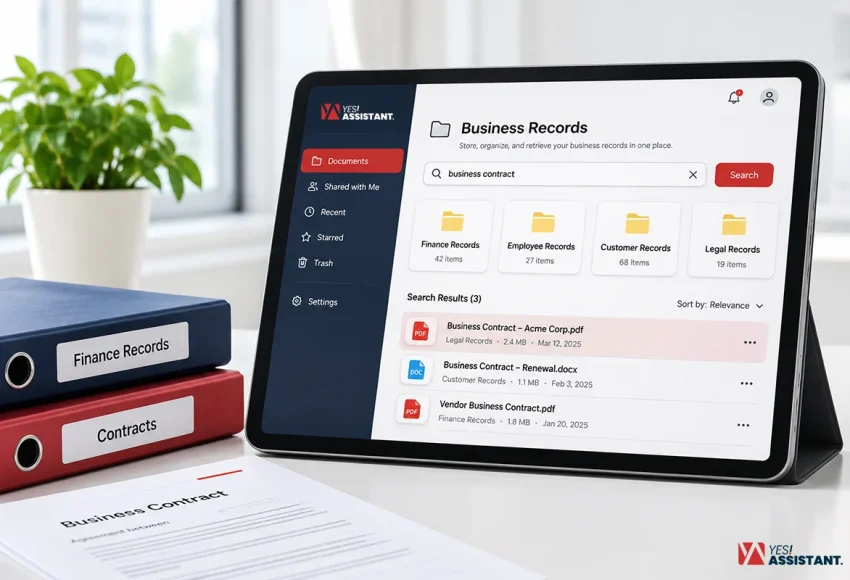
How to Manage Business Records Efficiently?
There is no actual value in business records unless they are managed efficiently. Managing business records efficiently includes categorizing, centralizing, consistent filing, digitizing, assigning controlled access, setting retention rules and ultimately reviewing and improving.
Implementing these steps are proven and effective in making business records efficient, but it takes more than that. To implement these measures perfectly, first you need to learn more about common types of mistakes, types of business records and how to measure these records. In this journey, you will know things that we learned from spending years outsourcing back-office work and business records efficiently.
Key Takeaways
- Begin by classifying your business records to help your employees identify where all types of records are stored.
- Based on a McKinsey study, an employee spends about 1.8 hours daily searching for files.
- There are different types of business records that a business may generate or own, including financial, customer, employee, legal, compliance, operational and procurement records.
- Systems that let employees store, locate, protect, and use records easily, without extra effort, are a sure sign that business records are managed efficiently.
- Track whether your business record management is improved or downgraded with important metrics such as record accuracy, duplicate rate, search success rate, etc.
What Is Business Records Management?
Business records management is the practice of storing and managing important business records throughout their lifecycle. It is a cycle of capturing, organizing, storing, protecting, retrieving and disposing of business records throughout their entire records lifecycle.
This simple approach is an important addition for keeping the business records accurate, easily accessible and properly maintained. A good record management system has some details to it. It covers both physical and digital data while applying clear rules for how each employee will handle them.
Why Is Managing Business Records Efficiently Important?
When it comes to different types of data entry, you must record it properly. Managing business records efficiently helps keep data organized, reduces unnecessary storage, reduces administrative work and helps meet regulatory compliance requirements.
Not only does it help in these things, but it also reduces the chances of lost, outdated or duplicate records drastically. On top of that, a well-maintained business record helps employees perform their best as they do not have to spend much time searching and sorting.
According to a McKinsey report, on average, employees spend 1.8 hours every day just searching for files. In other words, if 5 employees are hired, only 4 are practically working because the 5th one is spending the day searching for files.
Common Types of Business Records
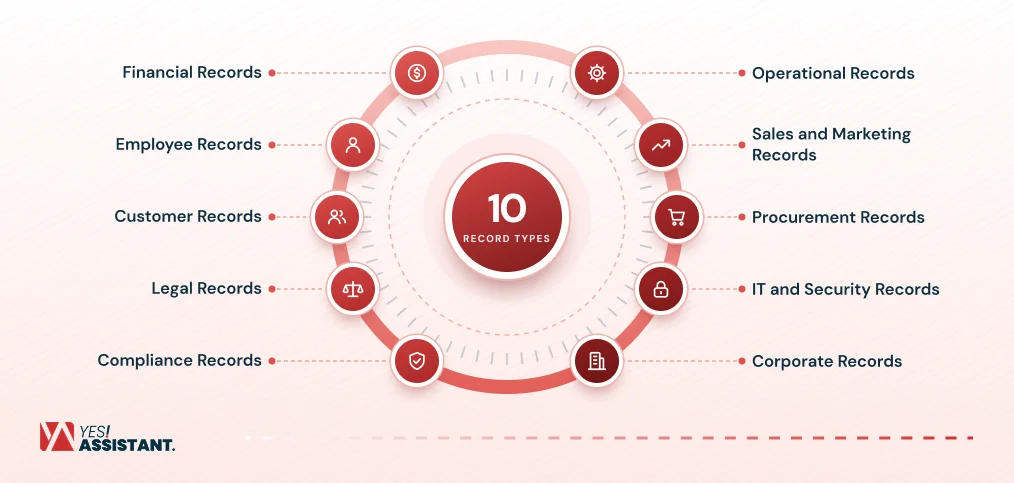
There are different types of business records that are necessary for smooth operation. Some common types of business records include financial, employee, customer, legal, compliance and operational records. However, the type of record a business keeps is dependent on many different things such as business industry, process, size and requirements.
Here is an overview of the most common types of business records:
| Record Type | Examples |
| Financial Records | Invoices, receipts, payment records, business transactions, purchase orders, tax records and financial statements. |
| Employee Records | Employment contracts, payroll records, attendance records, benefits records and performance reviews. |
| Customer Records | Customer information, orders, contracts, invoices, service records and correspondence. |
| Legal Records | Contracts, agreements, licenses, permits, legal notices and court documents. |
| Compliance Records | Audit reports, compliance documents, regulatory filings and inspection records. |
| Operational Records | Standard operating procedures, work orders, inventory records, production reports and process documents. |
| Sales and Marketing Records | Sales reports, proposals, quotations, campaign records and marketing materials. |
| Procurement Records | Supplier information, purchase orders, bids, quotations and procurement agreements. |
| IT and Security Records | System logs, access records, security reports, backup records and IT policies. |
| Corporate Records | Board meeting minutes, compliance policies, organizational documents and shareholder records. |
Common Business Records Management Mistakes
Making a mistake in records management is normal, but fixing it is hard, like finding a needle in a field full of hay. This is why knowing the common mistakes in business record management is important before learning how to manage business records properly. Here is a list of the most common business record management mistakes.
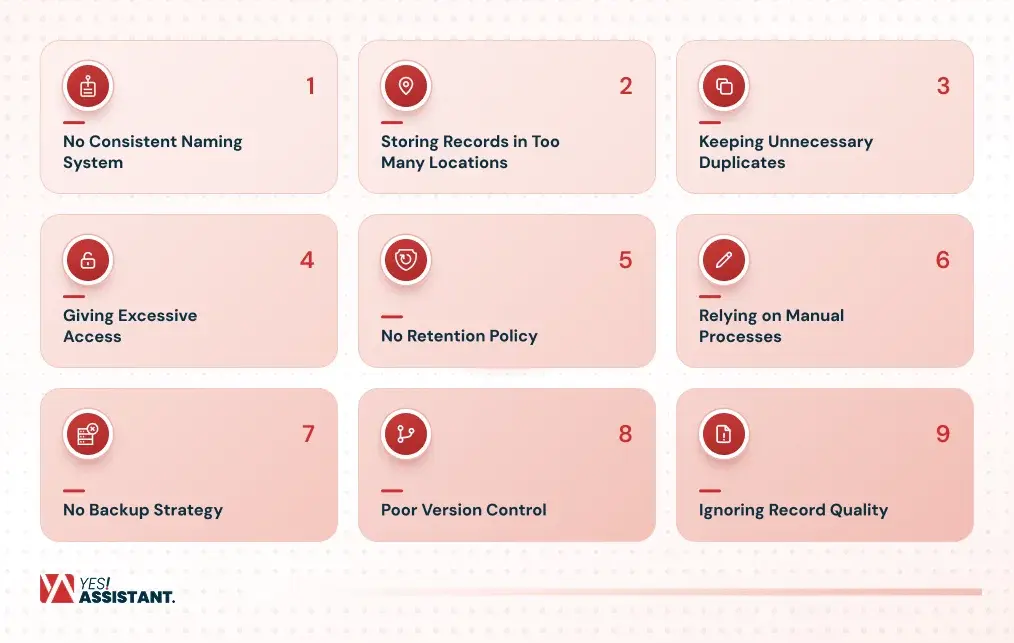
- No Consistent Naming System
- Storing Records in Too Many Locations
- Keeping Unnecessary Duplicates
- Giving Excessive Access
- No Retention Policy
- Relying on Manual Processes
- No Backup Strategy
- Poor Version Control
- Ignoring Record Quality
How to Manage Business Records Efficiently: 7 Practical Steps
Behind every failure, there are reasons and in many business failures, poorly managed business records are involved in one way or another. Managing business records efficiently is achievable by organizing, reducing unnecessary searching, and protecting the records. Here are 7 effective steps for managing business records efficiently.
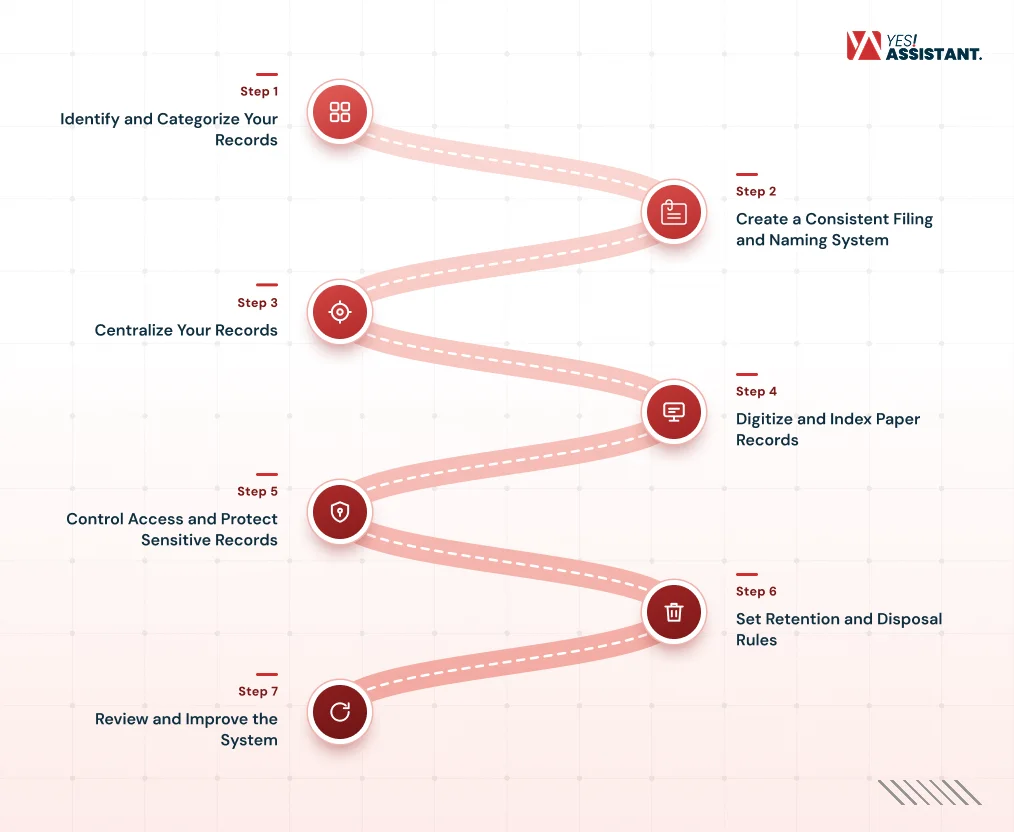
1. Identify and Categorize Your Records
The first step in efficient records management is to identify and categorize the records your business creates. Categorize similar records together so your employees have a clear idea of each record. This process is also known as document classification, which helps businesses sort documents into appropriate categories. It will help them utilize their working hours because they know which record belongs where and what it includes.
Common categories include:
- Financial: Invoices, tax records, payment records and business expenses.
- Employee: Contracts, payroll records and attendance records.
- Customer: Customer information, orders and service records.
- Legal and compliance: Contracts, licenses and regulatory records.
- Operational: Procedures, work orders and process records.
Be aware of not creating too many categories. Categorize them by broad groups, and you can also add subcategories only when it is needed.
2. Create a Consistent Filing and Naming System
Use the same folder structure and naming rules across the whole business when filing records or naming digital files. It reduces the time needed for guessing where the file is and which version you should use.
A useful or appropriate file name often includes these things:
- Document type
- Date
- Customer or department
- Version
For better understanding, let’s suppose there are two copies of the same file. One is named sales report 2026-10_v2, while the other one is named sales report final new. Now see it for yourself, the first one is easy to track through its name, document type, date and version. On the other hand, the other one seems like a notepad saved by a 5th grader.
3. Centralize Your Records
Keep records in a centralized storage system instead of keeping one record in email, another one on the desktop and the next one in a cloud drive. A reliable place to look for documents is crucial for efficient document management. This allows you and your employees to have a reliable system to look for the records needed.
Centralization helps in reducing:
- Duplicate files
- Outdated versions
- Unclear ownership
- Unnecessary searching
For instance, your employee receives an invoice through email. Now, instead of keeping it hanging in the email inbox, they download it and save it in the central document system, under Invoice > Accounts Payable.
4. Digitize and Index Paper Records
Digitizing paper records is a smart choice often made by successful businesses. By digitizing paper records, you can store them in your centralized system and easily find it whenever you want. In 2026, not digitizing paper records will simply mean getting devoured by survival of the fittest.
A proper digitizing process includes:
- Scanning: Create a clear digital copy.
- OCR: Make scanned text searchable.
- Indexing: Add details such as date, document type and search criteria.
- Quality Checks: Confirm that pages are readable and check for data capture errors.
Let’s say your business receives a customer agreement. They use OCR to extract the text from documents and turn it into a digital record. Now they can store it and easily add more details to make it more searchable.
5. Control Access and Protect Sensitive Records
Give record access to employees based on their role, task and responsibility. It is not necessary and safe for everyone to view, edit, or delete records. Not having proper access control over documents can increase the chance of data breaches and leaks of sensitive information as well.
Use these security measures:
- Role-based access
- User permissions
- Encryption
- Backups
- Audit trails
Suppose your HR can access employee contracts and payroll records, while the salesperson only has access to customer accounts.
One important thing you should consider is to review permissions when employees change roles or leave your company. This reduces unnecessary access without making records difficult for authorized users.
6. Set Retention and Disposal Rules
Set clear rules for how long a record should stay inside the system based on its importance, needs and scopes of application. This helps in keeping the storage free of unnecessary records that can cause confusion later.
Retention schedules can define when records should be:
- Kept in active storage
- Moved to an archive
- Securely destroyed
For instance, a company named “XYZ” keeps inactive contract records in an archive according to their retention schedule. When their contract reaches the end of the schedule, and there is no legal or business reason to keep it, “XYZ” company just disposes of it. This step not only helps them stay organized and informed, but also ensures they only work with active records.
7. Review and Improve the System
The most important part of making records management efficient is to review and improve the system. Do it regularly to make sure records are traceable, properly organized and secure. Regular review is important because a process that is efficient today can break down with new employees and customers.
Measure these key factors to review efficiency:
- Retrieval time: How long does it take employees to find a record?
- Duplicate rate: How many unnecessary copies exist?
- Access issues: Do employees have the right permissions?
- Retention issues: Are records being kept or deleted according to policy?
- Record quality: Are files complete, readable and properly labeled?
Suppose on average your employee takes an average of 10 minutes to find customer records and this is because of poor folder organization, inconsistent names and missing search tags. After applying efficiency methods, check how much time it takes now. If this takes less than 3 minutes, it means the change has made a measurable improvement.
How Technology Can Make Records Management More Efficient
Technology can help reduce manual entry, improve traceability, and help businesses control records at larger scales. Choosing the right technology for the right approach can help increase record efficiency by a mile.
| Technology | How It Improves Records Management | Example |
| Document Management Systems | Centralize records and make them easier to search, organize and control. | Store contracts, invoices and policies in one searchable system. |
| OCR and Document Processing | Converts scanned documents into searchable digital information. | Extract invoice numbers and dates from scanned invoices. |
| Workflow Automation | Routes records through review, approval and filing steps automatically. | Sends a new contract to the right manager for approval. |
| AI-Assisted Classification | Identifies document types and helps organize large volumes of records. | Automatically classifies documents as invoices, contracts or employee records. |
| AI Search | Helps employees find information using natural-language searches. | Search for “2026 supplier contracts” instead of browsing folders. |
| Cloud Storage | Provides controlled access to records from different locations. | Let authorized employees access current policies while working remotely. |
How to Measure Records Management Efficiency
Track small sets of metrics to find out whether employees can find records quickly, maintain accurate files, and manage information without unnecessary hassle. For financial records, invoice processing benchmarks can also help measure processing costs, cycle times and exception rates.
| Metric | What It Measures | Calculation |
| Retrieval Time | Average time taken to find a required record | Total retrieval time ÷ records retrieved |
| Duplicate Rate | Percentage of reviewed records that are unnecessary duplicates | Unnecessary duplicate records ÷ records reviewed × 100 |
| Record Accuracy | Percentage of reviewed records that are complete and accurate | Accurate records ÷ records reviewed × 100 |
| Access Issues | Number of times users cannot access records they are authorized to use | Count of access issues |
| Retention Compliance | Percentage of reviewed records that follow the approved retention rules | Compliant records ÷ records reviewed × 100 |
| Search Success Rate | Percentage of searches that result in the required record being found | Successful searches ÷ total searches × 100 |
| Digitalization Rate | Percentage of applicable records that have been converted to digital format | Digital records ÷ applicable records × 100 |
Conclusion
An efficient business record management system plays an important role in making the business process smoother. With properly organized records, employees do not spend hours searching, fewer files are duplicated and sensitive information stays within the protection shield.
The goal here is not to create a complicated system, instead build a system that people can actually follow and maintain. With proper utilization of efficient business management steps, the records become useful weapons for daily operation rather than becoming another source of confusion and rework. Ultimately, it can put your business in a position where it does more in less time, with fewer mistakes and full control.
FAQs
What are the 7 principles of record keeping?
Accuracy, completeness, timeliness, accessibility, security, confidentiality and compliance are the 7 principles of record keeping. When they are combined together, the records become highly searchable, reliable and are more secure than ever. The biggest security advantage it provides is giving proper authorization and access to the right person and protection against data breaches.
What is record management theory?
Record management theory refers to a framework. This framework contains principles and rules that control the quality of a business’s records from start to end. This includes all the steps, including creation, maintenance, disposal, and improvement.
How can automation improve records management?
Automation contributes to records management by completing tasks that are repetitive or rule-based. It has a huge impact on reducing manual data entry, inconsistent filing, and routing. For example, an automation software extracts scanned data using OCR, sends the data to the approver, and files it in the correct location.
Should business records be stored digitally?
Yes, and digitally stored business records come with their own benefits. Business records should be recorded digitally because they become more searchable, easy to use and share; on top of that, they provide selective access and security.
What is the best software for records management?
There is no single best software, but it depends on your business needs, which will determine which one is best for you. Microsoft SharePoint handles general corporate filing, DocuWare, Laserfiche, and Doxis manage strict legal compliance, and QuickBooks stores financial records.