
How to Reduce Accounts Payable Errors: 10 Proven Ways
Key Takeaways
- Manual invoice processing costs $12 to $35 per invoice, and creates errors that cost higher to fix those errors.
- Several common accounts payable errors are found while invoicing including duplicate payments, wrong data entry, and lost invoices.
- About 39% of manually processed invoices contain at least one error, according to IOFM.
- Weak internal controls fail to catch bad payments, which makes it easy for money to be stolen.
- Automation lowers error rates significantly, with top performers reaching as low as 0.8%.
- Three-way matching checks purchase orders, receipts, and invoices before payment goes out.
- Regular vendor audits prevent duplicate payments and reduce fraud risk.
- Reducing accounts payable errors builds vendor trust, speeds up month-end close, and improves audit readiness.
What Are Accounts Payable Errors?
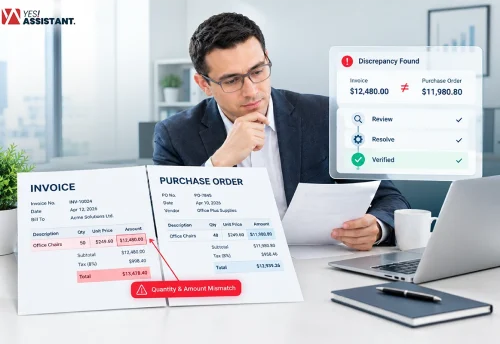
Accounts payable errors are inaccuracies, discrepancies, or errors that occur within a company’s invoice processing and vendor payment workflows. Common examples of accounts payable errors include duplicate payments, incorrect invoice amounts, and missing vendor data. These mistakes significantly waste money, damage vendor trust, and create false financial reports.
Any kind of financial error may be obstructing your operations and resulting in small or big amounts of losses. Outsourcing accounts payable service helps you to get rid of the risks, reduce mistakes and mitigate potential losses, or re-work costs.
Why They Matter
Accounts payable reports require accurate results. If any errors occur, it costs you time, money, and vendor trust. Quadient shows manual invoice processing costs range from $12 to $35 per invoice, and errors push that cost even higher.
- Lost cash: Add extra payments mistakenly, which is out of the business actual amount.
- Bad data: Financial reports look mismatched with actual costs.
- Distrust partners: Vendors get upset and might stop working with you if payments are late or wrong.
- Extra work: Your team spends many hours fixing the mistakes and tracking missing funds.
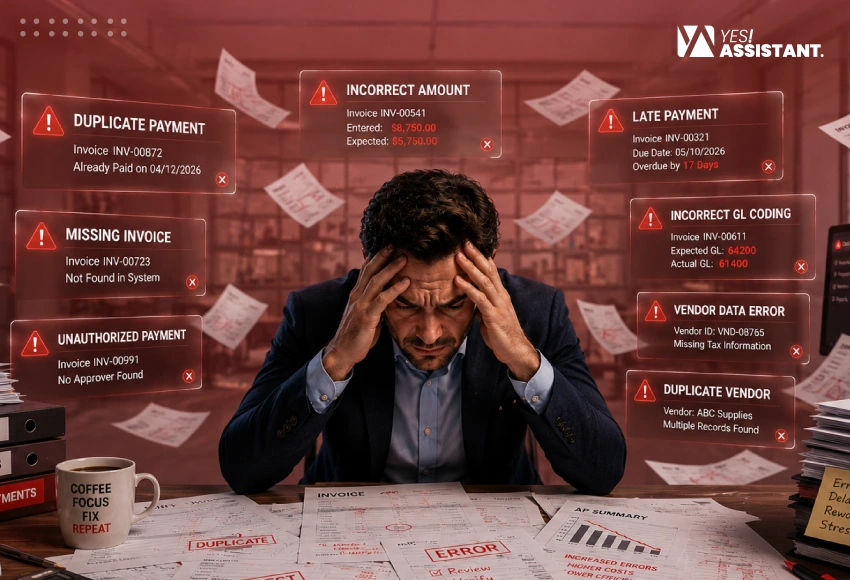
Common Types of Accounts Payable Errors
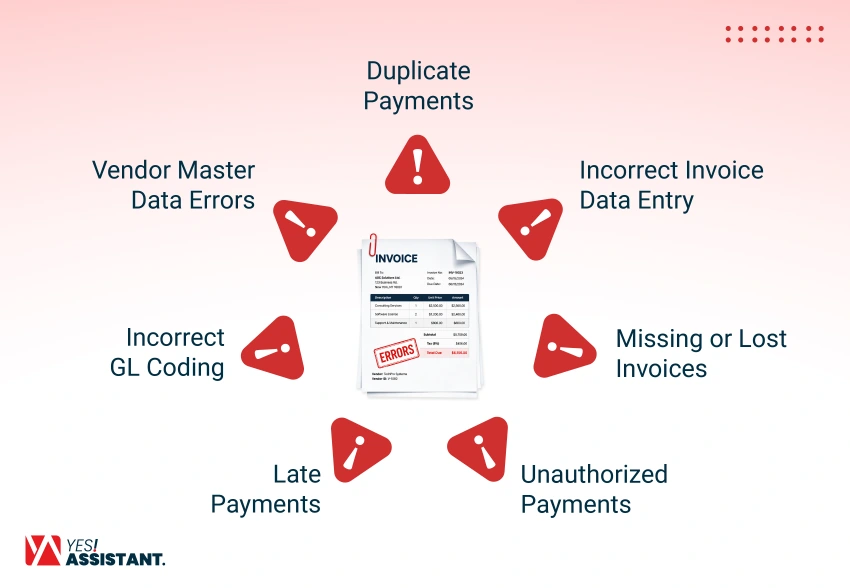
Accounts payable errors take different forms across the invoice cycle. Each type of error carries distinct risks, from lost cash to damage to vendor relationships. Knowing these error types helps you catch them before they cost you money.
Duplicate Payments
Duplicate payments happen when your team pays the same invoice more than once. According to Putler, businesses lose between 0.1% and 2% of total disbursements to duplicate payments.
- Why it happened: Accounts payable errors waste your cash and force your team to chase vendor refunds.
- How to fix it: Use automated duplicate detection software to detect or block repeated number entry before finalizing the process.
- The Solution: Both manual entry and quick approvals are the common causes of occurring errors. So, always double check invoice reference numbers first.
Incorrect Invoice Data Entry
Incorrect invoice data entry is the cause of common data entry errors including wrong numbers, dates and amounts getting typed into your system. A single typo can lead to a big payment mistake for a business.
- Why it happened: This creates payment mismatches and forces you to correct cycles later.
- How to fix it: Use robotic OCR or AI-based capture systems to reduce manual data entry mistakes.
- The Solution: When your team becomes rushed processing and high invoice volume usually cause such errors. Build a review step to check after processing.
Missing or Lost Invoices
Missing or lost invoices slip through the cracks when there is no central system. This causes late payments, vendor frustration, and gaps in your financial records.
- Why it happened: This delays payment and can damage your relationship with vendors
- How to fix it: Set up a single, dedicated inbox or portal for all incoming invoices
- The Solution: Paper-based processes are the main reason for this situation. Therefore, digitize your data entry workflow and maintain consistency with your vendors.
Unauthorized payments occur when invoices get paid without proper approval. This creates serious risk for fraud and budget overruns.
- Why it happened: This can cause your business to fraud cases and compliance violations.
- How to fix it: Check the financial report at every step before approval hierarchies with clear spending limits for every role.
- The Solution: Weak internal controls usually allow this, so review your approval workflow regularly
Late Payments
When you miss the due date of issuing a payment voucher, late payments happen. This can damage vendor trust and cause you to lose early payment discounts.
- Why it happened: Businesses count late fees, lost vendor relationships and lost discounts.
- How to fix it: Set reminders for payment cycles and approval deadline for invoices.
- The Solution: Only slow manual approval causes late payments. So, track your payment cycle times
Incorrect GL Coding
Incorrect GL coding means expenses get recorded under the wrong account or cost center. This cancels your financial reports and budget tracking.
- Why it happened: Recording expenses under the wrong account misrepresents financial reports and skews budgets.
- How to fix it: Include the payment system into company SOP, train your staff on recording expenses under the right account.
- The Solution: Lack of coding guidelines is the main cause of incorrect GL coding. So, deploy resources to review entries during monthly reconciliation.
Vendor Master Data Errors
Vendor master data errors involve outdated or incorrect vendor records in your system. These errors can lead to failed payments or fraud risk.
- Why it happened: This can cause failed payments or payments sent to the wrong account
- How to fix it: Audit vendor records regularly and remove duplicate or outdated profiles
- The Solution: Poor onboarding processes usually cause this, so verify new vendor details carefully before adding them.
Main Causes of Accounts Payable Errors
Many small things can cause expensive errors in how you pay your bills. These errors stem from inefficient habits and outdated systems. You must identify these root causes to build a reliable financial process.
Manual Data Entry
Typing information by hand leads to frequent mistakes. Your employees often make these small errors that cause major financial issues. This process remains slow and requires human supervision.
- Typing the wrong invoice amount is a common mistake
- Incorrect vendor names cause payment delays.
- Inputting the wrong date creates confusion.
Paper-Based Processes
Using physical paper slows down your entire operation. While transferring documents or shifting departmental furniture, your document gets lost. This method fully lacks transparency and is difficult to track the right document at the right time.
- Paper invoices have no certainty and can easily get misplaced or damaged.
- Physical documentation requires more space to store a series of files.
- Manual routing slows approval time due to moving different tables.
Lack of Standardized Workflows
Employees should handle invoices following standard operating procedures. Inconsistent documentation occurs due to lack of supervision. Therefore, you should accelerate your employee to follow standard rules and keep every document safe.
- Unclear steps confuse the accounting staff.
- Different teams use various methods for approval.
- No clear guidelines result in missed deadlines.
Weak Internal Controls
Loose rules allow errors and even fraud to occur. Without strong checks, unauthorized spending slips through the system. You must enforce strict verification for all payments.
- Lacking spending limits invites unauthorized payments.
- No regular audits hide recurring mistakes.
- Sharing login credentials exposes data to risk.
Poor Communication Between Departments
Finance teams must work closely with other departments. Silos prevent information sharing and cause invoice disputes. Everyone needs to stay aligned on payment status.
- Disconnected teams cause gaps in financial data.
- Departments fail to share important purchase details.
- Lack of updates delays necessary vendor payments.
Inadequate Employee Training
Staff members need the right skills to manage accounts. Poorly trained employees often miss critical invoice details. Regular learning helps your team avoid common pitfalls.
- New hires lack knowledge of software tools.
- Unskilled staff struggle with complex billing issues.
- Lack of training leads to low work quality.
How to Reduce Accounts Payable Errors: 10 Ways
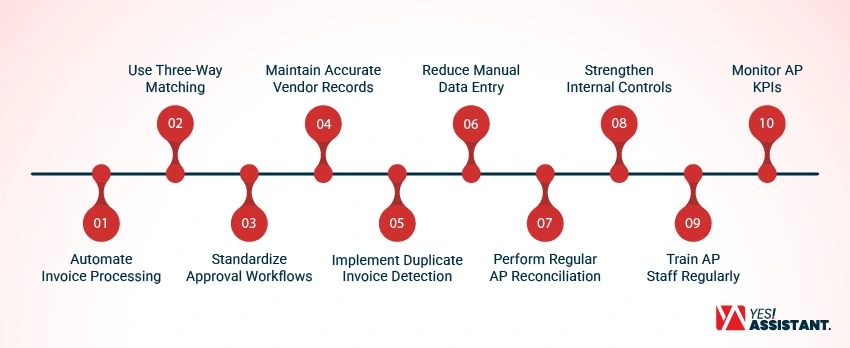
Accounts payable errors significantly interrupt your business flow. You can take simple and smart steps to fix these issues. Here are the simple but effective ways to keep your records clear and accurate.
1. Automate Invoice Processing
Set automation to remove human mistakes from your invoice tasks. System tools can accelerate your work faster and more accurately.
- Save Time: Automation speeds up your invoice process compared to manual work.
- Reduce Errors: System software detects mistakes and stops immediately caused by manual data typing.
- Improve Tracking: Data invoices have easy integration to find errors.
2. Use Three-Way Matching
Three-way matching keeps your payments safe and correct. You verify your purchase orders, receipts, and invoice documents together.
- Verify Accuracy: Matching stops you from paying for goods not received.
- Stop Fraud: Only confirmed invoices will pass your system check.
- Improve Clarity: This method shows you if an invoice is valid.
3. Standardize Approval Workflows
Clear rules stop confusion during the payment process. Everyone should follow the same steps for each invoice.
- Set Clear Rules: Build a standard to help your staff follow the approval process.
- Increase Control: Define invoicing steps to stop unauthorized payments from slipping through.
- Faster Processing: Follow standard approval process to reduce any kind of delays.
4. Maintain Accurate Vendor Records
Clear your vendor data leads to faster payments and reduces mistakes. Set a time to update your vendors’ contact information.
- Audit Regularly: Check records regularly to find outdated vendor information
- Verify Details: Verify your vendor names and bank information before save changes.
- Remove Duplicates: Check and clear your vendor profiles and remove outdated contact information before the next payment process.
5. Implement Duplicate Invoice Detection
Duplicate payments are the costly mistakes that kill your profit. Use specialized software to detect repeated bills before you pay them.
- Block Duplicates: Automated systems stop you from paying the same bill twice.
- Check References: Always review invoice numbers to ensure each bill is unique.
- Improve Cash Flow: Find errors early protects your company bank balance.
6. Reduce Manual Data Entry
Manual typing causes many expensive errors for your business. Use scanning tools to make data entry faster and more accurate.
- Use OCR: Optical character recognition reads your invoices automatically.
- Lower Mistakes: Removing manual typing lowers the chance of bad data.
- Increase Speed: Digital capture finishes your data entry in seconds.
7. Perform Regular AP Reconciliation
Reconciliation means checking your bank statement to match with your internal records. Monitor your statement every month to avoid facing big problems.
- Detecting Discrepancies: Identifying errors fast allows you to fix errors quickly.
- Improve Accuracy: Conduct audit on general ledger to keep your documents clean and updated.
- Identify Trends: Reconciliation focuses on recurring issues in your payment process.
8. Strengthen Internal Controls
A strong internal controlling process protects your business from fraud cases and accidental loss. You must control access to your payment systems.
- Set Spending Limits: Control your budgeting process to prevent unauthorized payments.
- Restrict Access: Keep your system permission limit and authorize only the members who are really needed at your budgeting team.
- Perform Audits: Regular reviews maintain integrity within your payment operations.
9. Train AP Staff Regularly
Well-trained employees make fewer mistakes during invoice processing. Ongoing learning prepares your team for complex billing tasks.
- Update Skills: Train your staff to recognize new software systems.
- Share Best Practices: Recognize e-learning and educate your team that help everyone to follow company rules.
- Boost Confidence: Well-trained employees can handle complex billing efficiently.
10. Monitor AP KPIs
Measuring performance indicators helps you track your efficiency over time. Data shows exactly where your process needs help.
- Track Efficiency: Follow metrics to see how long your team takes invoice.
- Spot Weaknesses: Data shows the step where mistakes happened.
- Make Decisions: Use performance data to improve your payment strategy.
Benefits of Reducing Accounts Payable Errors
Reducing accounts payable errors delivers key benefits, including lowering your operating costs. better cash flow management, and stronger vendor relationships. Partnering with an automation provider offers several benefits for your business.
Lower Operating Costs
Stop costly duplicate payments and costly fees. According to Ardent Partners, processing one invoice manually costs an average of $12.88. Therefore, apply automation that helps you to lower operating expenses and allow your business to save costs on fees.
Better Cash Flow Management
Fixing accounts payable errors helps you avoid sudden surprises from duplicate payments. Also, reducing these mistakes stops unexpected cash outflows and gives you a clear view of actual financial liquidity. Track unpaid bills clearly that help your business manage money better and avoid cash shortages.
Stronger Vendor Relationships
Improve your supplier relation through sending payments quickly, process transparently, and reduce payment errors. Therefore, the vendor will be confident enough to get payment on time. This will build trust on both parties, which leads to better terms and service.
Faster Month-End Close
Following a proper SOP for data entry helps you run a smooth operational process. Accounts payable mistakes interrupt your operations team and take time before ending the month. Fixing errors cuts down on time spent and helps you finish month-end closing reports faster.
Improved Audit Readiness
Businesses that fail a regulatory audit often face financial adjustments, legal penalties, and repeated follow-ups. Reducing accounts payable errors helps you keep clear records that are easy to check and lowers your risk of failed audits or fines.
Higher Financial Accuracy
Businesses decide their next steps using accurate financial data. Error-free accounts payable facilitate the leader to make smart choices. So, keep the accounts payable records correct and reliable.
Accounts Payable Automation vs Manual Processing
See the notable comparisons between automation and manual processing
| Particulars | Accounts Payable Automation | Manual Processing |
| Definition | Automated by software that captures, matches and routes invoices with little human checks. | Start work manually, like enter, check and route invoice through manual process. |
| Processing Speed | Software can extract and match invoice data within seconds. | According to Parseur, manual processing needs 10 to 30 minutes to process a single invoice. |
| Error Rate | According to Medius, best-in-class AP teams achieve error rates under 1%, with top performers reaching as low as 0.8% to 0.9%. | According to a survey by the Institute of Finance and Management (IOFM), manual processing carries an error rate of about 39%. |
| Approval Workflow | Invoices route automatically to the right approver based on preset rules. | Staff manually forward invoices, which often causes delays. |
| Scalability | Handles rising invoice volume without adding headcount. | Requires more staff as invoice volume grows. |
| Fraud Detection | Flags duplicate or unusual invoices automatically before payment. | Relies on staff to catch fraud, which is easy to miss. |
| Data Accuracy | Pulls data directly from invoices, reducing typing mistakes. | Prone to typos and transposed numbers during entry. |
| Best For | Businesses with high invoice volume or multiple approval layers. | Very small businesses with low invoice volume. |
Conclusion
Reducing accounts payable errors is a smart investment for businesses. Change your manual paper-based processes and replace them with automation. Therefore, you can lower your operational cost significantly, improve cash flow, and build long-term relationships with the vendors.
Take measurable and realistic steps to fix errors, which saves your time, and ensure financial documents accuracy. So, your account payable sheet will be clear and saves you from regulatory fines and series of follow-ups. Most importantly, business owners make decisions confidently and take growth-oriented decisions.
FAQ
What causes the most accounts payable errors?
The most frequent errors usually occur from manual data entry, specially from typos in amounts or dates and dependence on paper-based processes. These methods rely on human oversight, which leads to common issues like duplicate payments, lost invoices, and unauthorized spendings.
How does automation reduce AP errors?
Automation in error detection eliminates the requirement of manual typing by using tools like OCR. These tools capture data directly from invoices. It also standardizes approval workflows and automatically flags duplicate entries, ensuring payments are processed accurately and on time.
What is three-way matching in accounts payable?
Three-way matching verifies your records are accurate by cross-referencing three documents. These are the purchase orders, and receiving receipt, and the vendor invoice. If all three match, the payment is approved, preventing you from paying for goods or services you never received.
How often should vendor records be reviewed?
You should conduct an audit and review your vendors’ information regularly to remove outdated contact information and keep your list updated. These clean records help you to avoid failed payments. So, your partners will be happy about your behavior and maintain long-term relations.
What KPIs help monitor AP accuracy?
Key performance indicators help you to track your progress and measure metrics like invoice processing time, errors rate and the number of duplicate payments identified. Monitoring this allows you to identify weakness, refine processes and ensure your accounts payable systems remain efficient and reliable.