

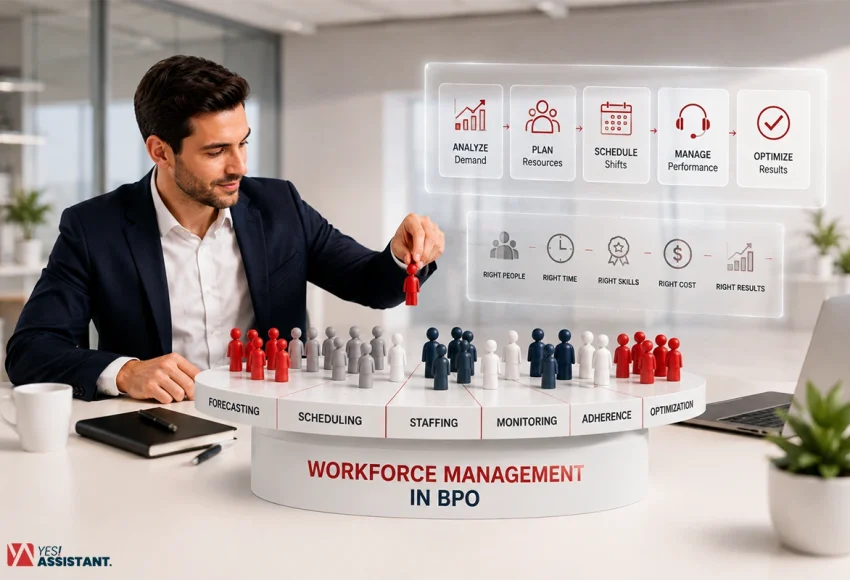
What Is Workforce Management in BPO? (Definition, Process & Tools)
Workforce management shapes on how well a BPO runs with day to day operations. It combines forecasting, scheduling, and regular monitoring to keep staffing aligned with actual demand. This will learn about meaning of workforce management, and how it works, and why it matters if you outsource to a BPO or manage one.
Key Takeaways
- WFM forecasts, schedules and monitor staff to provide consistent support to clients.
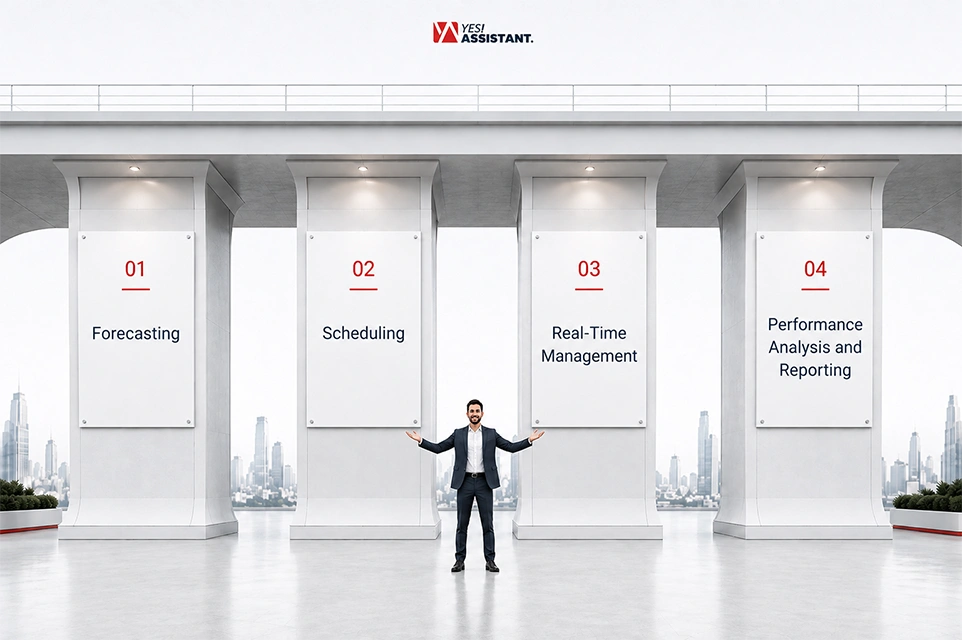
- Workforce management runs on four pillars, forecasting, scheduling, real-time management and performance reporting
- A strong workforce management reduce costs and protect SLAs by matching staffing to actual demand.
- WFM belongs to operations needs, not HR functions, and stays separate from long-term workforce planning.
- Most common workforce tools include NICE WFM, Verint WFM, Genesys Cloud CX, Calabrio, and Injixo.
What is Workforce Management in BPO?
Workforce management in Business Process Outsourcing (BPO) aligns with forecasting, scheduling and monitoring overall performance management. The workforce management ensures the right people will be in the right place at real time. It helps you to match resources according to your actual demand following customer demand.
Considering the core of workforce management combined with three elements, It uses archive data and current information to forecast upcoming demand. Predictive data helps you build staffing plans and shift schedules. Then you can track workforce live performance and adjust before problems are found.
Why Workforce Management Matters in BPO
Understaffing creates a chain reaction you want to avoid. Agents get overwhelmed, wait times climb, and you miss your service level agreements. Clients notice missed SLAs quickly, and penalties often follow. Wrong calculation or prediction costs you into a great problem but why:
- Wrong resource deployment causes stop operation and costly problems.
- You pay agents for idle hours during slow periods and paying without output.
- This reduces your margins that make outsourcing worse for your client and business.
Workforce management is essential to control labor costs besides protecting service quality. Both managing workforce and service quality affect client control and profit margins directly.
The 4 Core Pillars of BPO Workforce Management
Workforce management rests on four pillars that work together as one system. Every pillar depends on accurate input from the beginning point before you start. In case of skipping them weakens your entire process.
1. Forecasting
Forecasting predicts future contact volume, average handle time and required manpower using your ongoing trends. It pulls data from past call and ticket patterns, seasonal shifts and familiar events like promotions. The accuracy of the step shapes every decision you follow.
You cannot schedule agents well without an accurate forecast first. A forecast that misses volume by even a small margin can throw away staffing for an entire shift. For this reason, most business process outsourcing (BPO) consider forecasting as the foundation of an effective operation.
- Previous data forms the baseline for every current forecast you build
- Seasonal pattern transforms demand up and down at predictable points in the year.
- Forecast accuracy determines whether your staffing plan is going through the right way or wrong.
2. Scheduling
Scheduling converts forecasted demand into shift plans that match agent availability and skill sets. It accounts for breaks, shrinkage, and skill-based routing so the right agents handle the right contacts. Time zone coverage also plays a major role when you serve clients across multiple regions.
Good scheduling balances two competing needs at once. It has to protect business coverage while respecting agent preferences and labor rules. When you get this balance right, adherence improves and turnover tends to drop.
- Skill-based routing places agents where their strengths match contact type.
- Shrinkage planning builds breaks and training time into the schedule upfront.
- Time zone alignment keeps coverage steady for clients spread across regions.
3. Real-Time Management
Real-time management monitors ongoing performance and adjusts staffing to handle unexpected volume of work. The supervisor uses screens to check work times and speed minute by minute. This is where the staffing plan meets the reality of an actual shift.
When sales or work are much higher than expected, managers move fast to fix things right away. This includes quick overtime approval, shifting agents from low-priority tasks, or opening overflow queues. Quick changes during the day stop small rushes from causing missed deadlines.
- Live dashboards show adherence and service level as the shift unfolds.
- Overflow queues absorb sudden spikes without breaching client SLAs.
- Quick escalation keeps small deviations from turning into bigger service gaps.
4. Performance Analysis and Reporting
Performance analysis and reporting checks how actual results match your goals for agents, teams and campaigns. It watches how well works get done, including the time schedule, how busy people are and the quality of service over time. These numbers tell you where the plan worked and where it broke down.
This part connects right back to the planning step, finishing the circle. Every variation between planned and actual results becomes input for the next forecasting cycle. This feedback loop makes each portion better and sharper over the time.
- Adherence to schedule shows how closely agents work following schedule.
- Occupancy rates show if agents have too much work or too much free time.
- Variance reports highlight the gap between forecasted and actual volume.
Workforce Management vs Workforce Planning vs HR Systems (Comparison Table)
These three functions sound similar but they work and solve the problem in different aspects. Workforce management handles daily and weekly resource management. Workforce planning looks months or years ahead at headcount needs. HR system efficiently manage employee records, backgrounds and processing payroll
First, know where each tool starts working and stops. This helps you to choose the right one for your business. See the simple comparison.
| Dimension | Workforce Management (WFM) | Workforce Planning | HRM/ERP |
| Scope | Daily and intraday staffing execution | The amount of work your team can finish in a set time. | Keep track of worker files, paychecks and input into the HRIS system. |
| Time Horizon | Hours to weeks | Quarters to years | Ongoing, tied to employment lifecycle |
| Owner | Operations managers and WFM analysts | Finance and senior operations leaders | HR department |
| Tools | NICE, Verint, Genesys Cloud CX | Strategic planning software, budget models | Workday, SAP, other HRM/ERP platforms |
| Core Question | How many agents do we need this shift | How many people will we need next year | Who is employed, and how do we pay and manage them |
From the three functions, each layer works integrated with other functions. Workforce management sets plans with yearly budget and headcount targets. Also, WFM then turns the headcount into daily shifts, while the HR system manages employee records accurately following compliant rules.
You need all three working together, not competing. A BPO that only tracks HR data will miss real-time staffing gaps. A company that only looks at work today without planning for the future will always hire people at the last minute.
How BPOs Actually Run WFM (Step-by-Step Process)
Running workforce management is a repeating cycle. Every step builds on the next one. Here is how BPO goes through that cycle in practice.

Step 1 – Historical Data & Demand Forecasting
Every WFM cycle starts with three main steps, like pulling past volume, getting handle time and using shrinkage data. Experts look at this information by source, ad group, and time to find trends. This pattern then becomes the base forecast for the next scheduling period.
- Data segmentation sorts big data into smaller groups by sourcing and adding projects to make it more accurate.
- Seasonal adjustment helps to fix changes in sales caused by holidays, special sales events and times when people buy more.
- Forecast modeling uses past data and math to guess what will happen next.
Step 2 – Shift Design and Schedule Building
Once the forecast data is ready, planners move into the actual staffing plan. They calculate required headcount using models like Erlang C, then create shifts around skill set and availability. This step turns your row numbers into a schedule agents can actually follow.
- Headcount calculation determines how many agents each shift needs to cover.
- Skill matching places agents on shifts where their expertise fits the expected contact type.
- Schedule publishing shares finalized shifts with agents well ahead of time.
Step 3 – Real-Time Adherence Monitoring
Supervisor checks if agents follow their work times once shifts begin. Live screens show work time and speed at every single minute. This step confirms whether the plan built in step 2 is holding up under the exact conditions.
- Adherence tracking flags agents who drift from their scheduled tasks or breaks.
- Service level monitoring shows in real time whether contacts are answered within target.
- Dashboard alerts notify supervisors the moment a metric slips out of range.
Step 4 – Intraday Adjustments (Absenteeism, Spikes)
When teams don’t show up or work gets too busy, you must fix the problem fast during the shift. This step protects service levels when conditions shift without warning.
- Absenteeism coverage pulls in backup agents when scheduled staff do not show up.
- When task volume increases, it needs to add overtime approval above the forecast.
- When urgent tasks come, agents shift from low priority tasks to fill up the urgent task demand.
Step 5 – Post-Shift Reporting and Forecast Recalibration
After each shift or day ends, teams compare actual results against the original plan. Also, they check work times, busy times and expected numbers to find mistakes. This step gives better experiences to understand the next forecast better.
- Variance analysis measures the gap between forecast and actual contact volume.
- Root cause review identifies why specific shifts missed or exceeded targets.
- Forecast recalibration updates future predictions using the latest performance data.
What is Workforce Management Software?
Workforce management software helps businesses to overview individual employee or workers personal information, professional insights. Besides, you can also store individual data into workforce management software according to data privacy and employee monitoring rules. This same software also helps you stay compliant with labor laws like the FLSA and FMLA. Both are covered in more detail below.
Core of Workforce Management Software
Both business owners and employees benefit from workforce management software. Here is how individuals and business can get more advantage from using the system:
Business Benefits
WFM software predicts demand to prevent overstaffing or under staffing. No resources go idle as workforce management software helps to track individual roles and outputs. Besides, automate timesheets and synchronizes data directly with payroll systems to cut down manual errors.
Employee Benefits
Individuals or staff can get benefits according to regulatory compliance standards or avoid risk of unexpected termination without protected leave benefits. This software also helps to track fair wages, shift limits, or extra-hour payments.
Common WFM Tools and Software Used in BPOs
Business Process Outsourcing (BPO) choose WFM software based on their business size, budget and operational needs. The following table gives you a vendor-neutral view of where each tool tends to fit.
| Tool | Best For | Approx. Tier |
| NICE WFM | Large enterprise and BPO environments needing broad omnichannel CX capabilities. | Enterprise |
| Verint WFM | Enterprise contact centers and BPO need deep forecasting, multi-site and multi-skill scheduling with cloud, on-premises or hybrid offices. | Enterprise |
| Genesys Cloud CX (WFM) | Teams already on Genesys Cloud CCaaS suite need native AI-integrated forecasting and scheduling across multiple channels. | Mid-market to Enterprise |
| Calabrio WFM | Inbound contact centers shift from manual or legacy scheduling to AI-integrated WFM with fast deployment. | Mid-market to Enterprise |
| injixo | Small to mid-sized centers wanting a lower-cost, faster-to-deploy WFM tool without a full workforce engagement suite. | SMB to Mid-market |
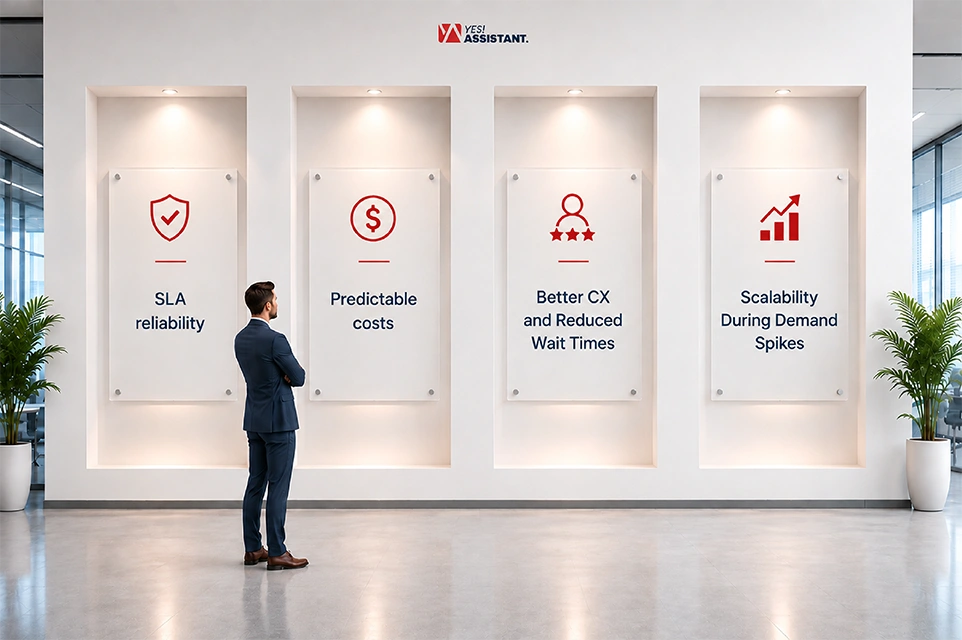
Benefits of Strong WFM for Companies Outsourcing to a BPO
When you outsource to a BPO, the quality of their workforce management directly impacts your results. A partner with a strong WFM protects your service quality, your budget, and your customer relationships all at once. See the following that benefits companies outsourcing to a BPO.
SLA Reliability
A strong WFM means your BPO partner consistently hits the service levels written into your contract. Accurate forecasting and well-defined scheduling reduce the staffing gaps caused by SLAs. You get fewer surprises and fewer awkward conversations about penalty clauses.
- Forecast accurately which is aligned with your actual contact volume without depending on assumption.
- Scheduling aligned with your agents, where BPO vendors know exactly when your customer can call.
- Real time monitoring detects SLA risks early which is enough to fix it before it becomes a breach.
Predictable Costs
A good WFM turns your outsourcing spend into something you can actually plan for. When a BPO staff’s precise demand, you can avoid paying for idle hours bills during slow periods. Also, you can avoid emergency overtime demands from vendors that may cause understaffing.
- The right size staffing plan definitely removes the hidden cost of chronic overstaffing.
- Shrinkage control stops wasted work time that adds extra cost to your bill.
- Providing stable billing patterns makes your outsourcing cost easier to forecast quarterly or over quarterly.
Better CX and Reduced Wait Times
Customers feel the effects of WFM even when they never hear the term. Well-scheduled agents mean shorter hold times, faster resolutions and fewer dropped contacts. This shapes directly how your brand gets perceived by the people you serve.
- Skilled and trained with balanced resourced-based agents can support you during peak hours.
- Skill-based routing sends customers to agents who know how to fix their exact problems.
- Consistent supports lower the service risks that happens during shift change or breaks.
Scalability During Demand Spikes
Businesses can hit unpredictable situations, where from a product launch, a seasonal peak, or unplanned media attention. A BPO with strong workforce management can turn staffing up and or down without your customer experience taking the hit. This flexibility is one of the core reasons companies choose to outsource in the first place.
- Quick staffing adjustment helps you to handle sudden business times right away without long waits.
- A team trained in many tasks lets a business move agents to busy queues.
- Overflow planning keeps service levels steady even during your busiest periods.
FAQs
Is workforce management the same as scheduling?
No, Scheduling is only one of the part of workforce management. Workforce management involves with forecasting, exact adherence tracking and performance reporting. So, scheduling is the part output of WFM, not similar to workforce management.
What is the role of a workforce manager in a BPO?
A workforce manager builds staffing plans that match forecasted demand. They monitor ongoing performance and adjust requirements when volume changes unexpectedly. Also, they review the results after each shift to improve your future forecast.
What software do BPOs use for WFM?
Most of the BPO use tools like NICE WFM, Verint WFM, Genesys Cloud CX, Calabrio, and Injixo. Larger BPO intend to choose enterprise platforms with broad forecasting and multi-site scheduling. Smaller centers often choose lighter tools Injixo for faster setup and lower cost.
How does WFM affect SLA compliance?
Workforce management directly controls whether a BPO has enough trained agents live at the right times. Accurate forecasting and well-controlled scheduling reduce the staffing gaps that cause missed SLAs. Monitoring accurate time detects problems early, before they run into a breach.
Is WFM part of HR or operations?
WFM belongs to operations, not HR. It focuses on daily and intraday staffing execution rather than hiring, payroll, or employee relations. HR and WFM work closely together but solve the different problems.