
How to Measure Data Capture KPIs and Metrics
Key Takeaways
- Data capture metrics are quantifiable measures for evaluating data capture performance.
- Data capture KPIs are metrics used to measure specific areas of data capture performance.
- Data capture speed, OCR accuracy rate, data capture records per cost and first-pass yield are some common KPIs or metrics used to measure data capture performance.
- Data capture performance can be measured in several steps, such as establishing performance assessment objectives, measuring data capture quality and preparing reports to share with stakeholders.
- Data KPIs and metrics can be improved by standardizing data capture procedures, validating data at entry, using OCR and AI, and outsourcing high-volume tasks.
A business may often need to extract data from different types of documents. This process is called data capture. Collecting accurate information helps a business reduce the need for frequent rework and make meaningful decisions. This is why businesses need to track and measure their data capture activities regularly. In this blog, we are going to talk about data capture KPIs and metrics, including how to measure and improve them.
What Are Data Capture KPIs and Metrics?
Measuring data capture performance is important for collecting high-quality data in a business. There are quantifiable measures that are used to evaluate data capture performance. These measures are called data capture metrics. A business can use some metrics to assess a specific area of data capture performance. These metrics are called data capture KPIs. Businesses or data capture services often need to measure these metrics and KPI to improve the quality of data they collect from different types of files or documents.
Data capture KPIs and metrics help businesses to:
- Monitor data capture activities in a standardized process.
- Track data capture performance with a clear objective.
- Identify gaps in their data capture workflow.
- Prepare reports or visualize the data capture process performance.
Key Data Capture KPIs and Metrics to Track
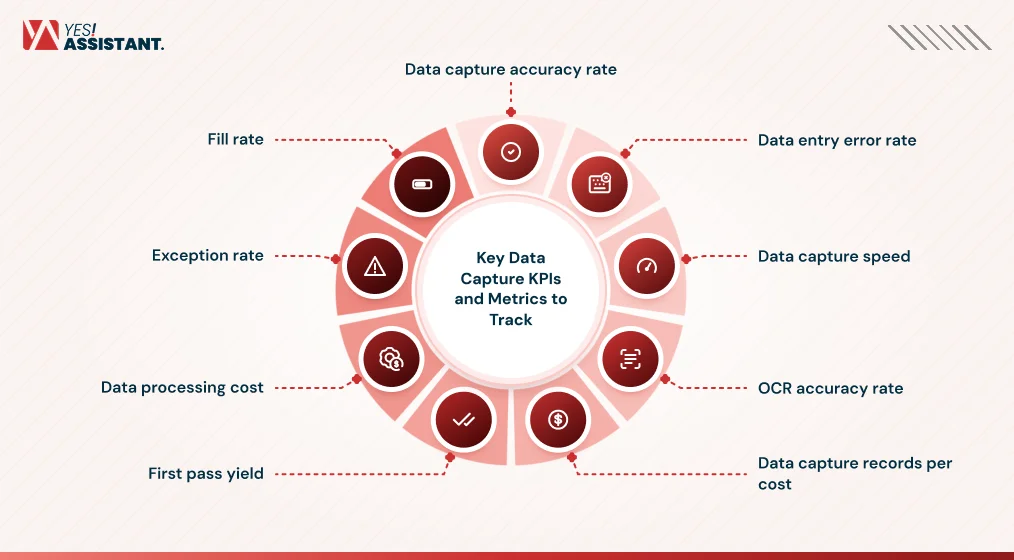
A business may need several key metrics to measure its data capture. Each KPI that you can use for measurement gives you some unique information about your existing data capture workflow.
The table below includes some of the most frequently used KPI data capture teams use to measure their performance.
| KPI | What It Measures | Why It Matters |
| Data capture accuracy rate | Percentage of captured data that is correct. | Useful for evaluating data quality and reducing errors in data capture tasks. |
| Data entry error rate | Percentage of errors in data entries. | Identifies data entry problems and the need for corrective action. |
| Data capture speed | Time required to capture and process a record or document. | Helps evaluate processing efficiency and identify delays. |
| OCR accuracy rate | The percentage of records OCR software can accurately recognize or extract. | Useful for measuring OCR software performance and finding out how to improve it. |
| Data capture records per cost | Number of records captured per unit of cost. | Helps compare the cost efficiency of different data capture methods. |
| First pass yield | Percentage of data capture tasks that don’t need rework. | Show how often teams or staff can capture accurate data on the first attempt. |
| Data processing cost | Total cost of capturing and processing data, measured per record or document. | Helps track operating expenses and identify opportunities to reduce costs. |
| Exception rate | Percentage of records that need manual review or special handling. | Useful for identifying how often performance issues occur while capturing data. |
| Fill rate | Percentage of records with no missing fields or information. | Helps to understand how many records usually include complete information. |
How to Measure Data Capture Performance
Businesses need to have a clear goal before they measure any type of process performance. A goal helps them to remain within a specific scope and collect only the useful details necessary for performance measurement. Here are the steps you need to follow for measuring data capture performance for your business.
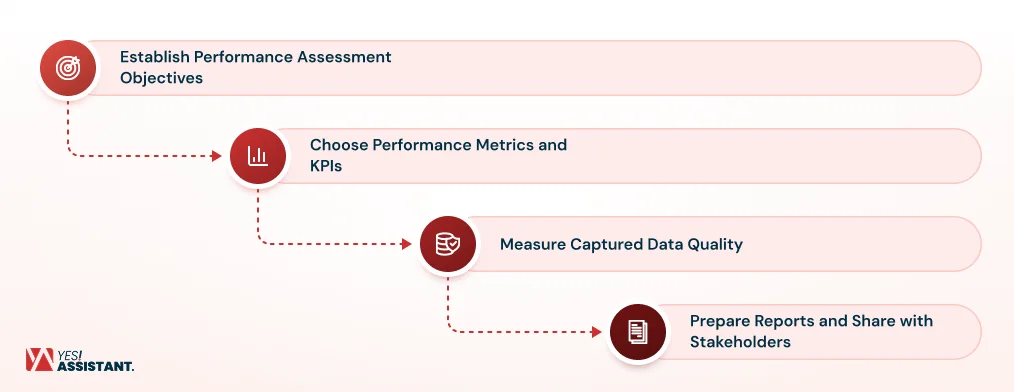
Establish Performance Assessment Objectives
Before measuring data capture performance, you need to establish some clear objectives. It will help you to understand which KPIs and metrics you should focus on when measuring data capture performance. A performance assessment without defined objectives can often fall out of scope. It can provide additional information that you may not want to track while leaving many key details out of the evaluation process.
Here are some questions you can ask yourself before assessing data capture performance:
- What are the key areas you want to focus on?
- What type of details should you exclude from the performance assessment?
- What is your primary goal for the assessment?
- Who are going to benefit most from this assessment?
- How will you share and communicate the results of the assessment?
Choose Performance Metrics and KPIs
After setting performance assessment objectives, you need to choose metrics and KPIs to measure your data capture performance based on them. For example, if your objective is to reduce cost and rework for data capture, then you should choose KPIs such as error rate, fill rate, OCR accuracy rate, data processing cost, etc.
Sometimes you can choose multiple KPI based on your objectives. However, you should also consider how you are going to use the metrics and KPIs once they are selected. Like, are you going to measure the data capture KPI for different projects or an entire process?
This is because if you don’t know how to use KPIs properly, then you can get unreliable results.
For example, if you use different KPIs for measuring the performance of multiple teams working on the same data capture tasks, then it can create inconsistent results. So you need to create a list of metrics and KPIs you are going to use before measuring the performance of different teams for that task.
Measure Captured Data Quality
Once you have selected a list of KPI, you should use them to measure captured data quality. It will help you understand the performance of staff or teams for data capture tasks. The results that show in the KPI can be categorized into different benchmarks. So that you know what the standard KPI performance looks like and how teams or workers are performing.
Here is an example table template that can help you create your own benchmarks to measure data capture performance:
| Data Capture KPI | Below Standard | Average | Good |
| Data capture accuracy rate | Below 95% | 95–98% | Above 98% |
| Data entry error rate | Above 3% | 1–3% | Below 1% |
| Data capture speed | Slower than the established target | Meets the target | Exceeds the target without reducing accuracy |
| OCR accuracy rate | Below 90% | 90–95% | Above 95% |
| Records captured per unit cost | Lower than the baseline | At the baseline | Higher than the baseline |
| First pass yield | Below 90% | 90–95% | Above 95% |
| Data processing cost per record | Higher than the budget | Within the expected range | Below the target cost while maintaining quality |
| Exception rate | Above 10% | 5–10% | Below 5% |
| Fill rate | Below 90% | 90–97% | 98% or higher |
Create a report with KPIs and metrics you get from the measurement. You can also visualize them with charts and a dashboard. The decision-makers or stakeholders can suggest some necessary fixes for your data capture workflow after reviewing the report and presentations. Don’t forget to include how you collected the sample for measurement and the techniques for preparing your report. This will make your findings more credible and transparent to all parties.
How to Improve Data Capture KPIs
Businesses usually have poor data capture performance due to a lack of standardized procedures, strong data validation procedures and other issues. Below are some common strategies that can help you find out and remove the hidden inefficiencies from your existing data capture workflow.
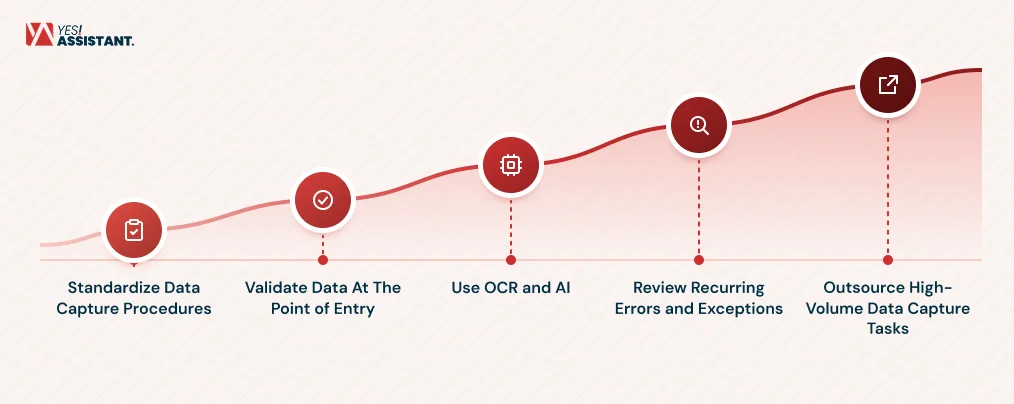
Standardize Data Capture Procedures
Businesses need a standard data capture procedure to reduce duplicates and errors in data capture. Building a structured workflow for data capture can help a business reduce inefficiency and operational bottlenecks from data entry tasks. This is why businesses should assess their existing data capture process, including the tools and techniques they use, to create standardized data entry procedures. Following a step by step instructions for data entry tasks can reduce operational waste since the data entry assistants know how to handle a task from start to finish.
Validate Data at the Point of Entry
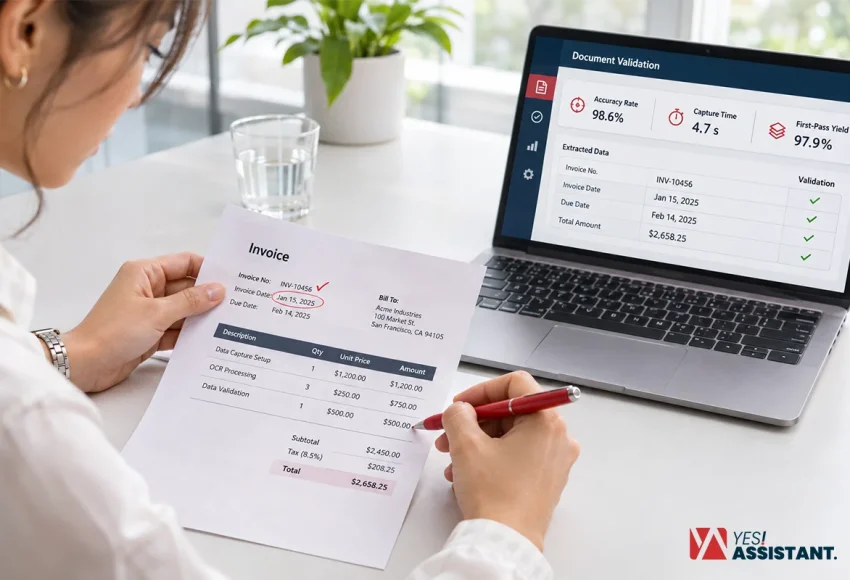
Businesses often use data capture systems with Intelligent Document Processing (IDP) systems. The data they extract from different types, such as invoices, receipts and customer emails, can be validated at entry. It can help them reduce capturing data with inaccurate information or missing fields. As a result, KPIs such as data capture accuracy rate or first-pass yield can be improved.
Use OCR and AI
OCR and other data capture technologies can extract data from documents, PDFs and images. Sometimes traditional OCR tools face some challenges that can be overcome with an AI-powered OCR system. For example, traditional OCR software can have difficulties in recognizing blurred or distorted text. An AI-assisted OCR system can capture data given the situation by using the context of a field or paragraph.
Reviewing Recurring Errors and Exceptions
There are some frequent errors and exceptions your data entry assistant may experience while capturing data. A useful strategy to overcome such problems is reviewing the recurring errors and exceptions. For example, if you often find missing fields in your data, you can check whether there is an issue with your data capture tools or data entry SOP.
Outsource High-Volume Data Capture Tasks
Sometimes, you should outsource high-volume and recurring data capture tasks to a specialized service. It can reduce the workload of the administrative support team. Data capture service providers can often help you improve data capture KPIs and metrics by using advanced software and their expertise.
Conclusion
Businesses use data capture to extract data from different resources. Assessing the data capture performance with KPIs and metrics is important for collecting quality data. A business should establish clear goals for measuring data capture performance. They should also find out which KPIs and metrics they should use for performance assessment. Businesses with poor data capture performance can use technologies and outsourcing to improve their KPIs and metrics.
FAQs
What are the most important data capture KPIs?
Some major data capture KPIs include data capture accuracy rate, data capture speed, data entry error rate and OCR accuracy rate.
How do you measure data capture accuracy?
Data capture accuracy should be measured with KPIs such as data capture accuracy rate and first-pass yield. Data capture accuracy rate shows the percentage of captured data that is correct. First-pass yield is the percentage of captured data that doesn’t need rework because it is correct.
What is a good data capture accuracy rate?
A good data capture accuracy rate depends on the specific process and business policies for data entry. There is no specific standard for data capture accuracy rate. However, it is considered that automated data entry or data capture with OCR usually has an error rate below 1%.
How do you calculate data capture productivity?
Data capture productivity can be calculated by using several metrics such as data capture speed, data capture accuracy rate, data processing cost per record and first-pass yield.
How can businesses improve data capture accuracy?
Businesses can improve data capture accuracy with several techniques, including using standardized data capture procedures, using OCR and AI, outsourcing recurring high-volume data capture tasks, etc.