
Invoice Capture vs. Invoice Processing: Key Differences Explained
Key Takeaway
- Invoice capture is the extraction of data from invoices, which can be performed manually or using technologies such as OCR and AI.
- Invoice processing is a complete workflow that businesses use to receive, validate, approve and process the payment of invoices.
- Invoice processing is a workflow that includes multiple steps and invoice capture is a single step of it.
- Businesses can perform invoice data extraction and flag inconsistencies while capturing data from invoices with AI-powered tools and software.
The accounts payable team of a business needs to receive and handle invoices as a regular part of their work. The invoice processing workflow starts with receiving and capturing invoice data. This is why sometimes an individual may consider invoice capture as invoice processing. But actually, it is only a single step of the invoice processing workflow. In this blog, we are going to discuss invoice capture and invoice processing to help you understand how these two terms work in the accounts payable process.
What Is Invoice Capture?
Invoice capture means extracting data from an invoice manually or by using technologies such as OCR. Businesses or invoice processing services can capture invoice data faster and often with greater accuracy by using technologies such as AI and OCR. Manual data capture can be time-consuming and increase the chance of errors.
Some of the key information extracted from invoices includes the following:
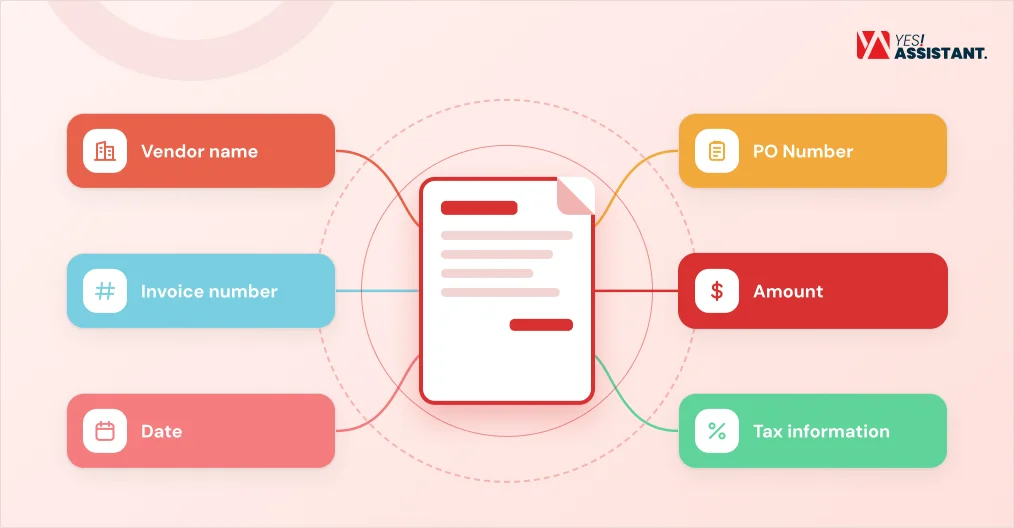
- Vendor name: The name of the supplier, which is matched with the vendor master file or list after extraction.
- Invoice number: Invoice numbers that can be useful for identifying duplicate invoices and avoiding invoice scams.
- Date: Extracting the invoice date is important to track when the invoice was issued and ensure timely payments.
- PO number: The accounts payable team uses the PO number to find out whether there is a valid purchase order for an invoice.
- Amount: The invoice processing team matches the invoice amount for routing the invoice for approval and 3-way matching.
- Tax information: The AP team uses this information to calculate taxes for a purchase and ensure compliance with tax regulations.
What Is Invoice Processing?
Invoice processing is a part of the accounts payable function where businesses follow a step-by-step workflow for receiving, validating and approving an invoice. The accounts payable team needs to handle every step of invoice processing efficiently to maintain a healthy cash flow in a business.
Some of the key steps of invoice processing include:
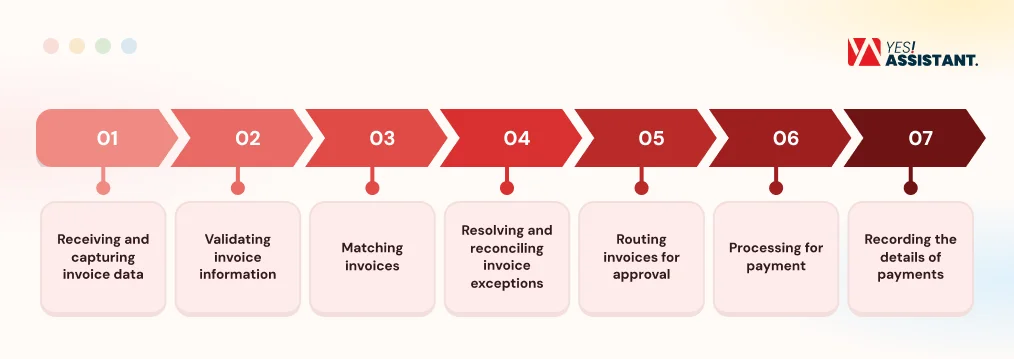
- Receiving and capturing invoice data: Capturing invoice data from invoices received via email, PDF, image or physical documents.
- Validating invoice information: Validating invoice information such as the vendor’s name and address by comparing it with the master vendor file.
- Matching invoices: Match PO invoices using a 2-way or 3-way matching system to ensure that goods delivered match what was requested in the purchase order and received by the business.
- Resolving and reconciling invoice exceptions: Discrepancies such as price mismatches, missing details and duplicate invoices are identified and resolved.
- Routing invoices for approval: Invoices are sent to the appropriate person or department based on a threshold limit, cost center, project or job.
- Processing for payment: Payment is processed following the agreed terms for an approved invoice via check, card, ACH or other electronic methods.
- Recording the details of payments: Documenting the invoice as successfully processed and storing the necessary documents, such as payment confirmation, purchase order and invoice approval records.
Differences Between Invoice Capture and Invoice Processing
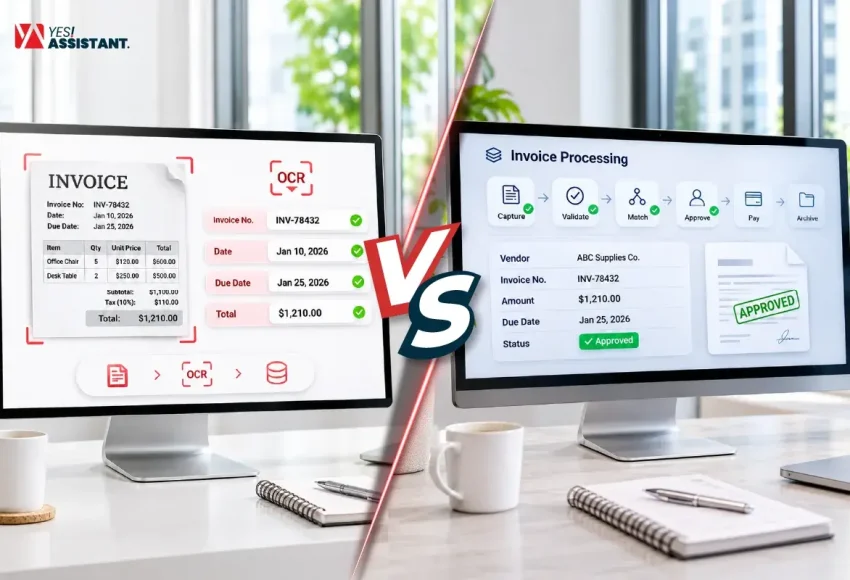
Invoice capture and invoice processing have a close relationship with each other. Invoice processing is a complete workflow and capturing invoice data is a part of it. Some of the key differences between invoice capture and invoice processing are the following:
| Aspects | Invoice Capture | Invoice Processing |
| Definition | Capturing data such as vendor information, purchase orders, line items and amounts from invoices. | A complete workflow for processing invoices, which includes invoice data capture to payments. |
| Steps | Usually considered a single-step process where received invoice data are captured and stored in a system. | Multi-step process, which includes invoice capture, matching, validation, routing for approval, payment processing and recording the workflow with necessary documents. |
| Output | Captured data in a specific format. | Updated records in a ledger or ERP software and complete audit information for processed invoices. |
| Time | It can take a few minutes manually and a few seconds when using OCR or AI to capture data from an invoice. | Automated invoice processing can take 3-5 days and manual invoice processing can take several days to weeks. |
| Core Technologies for Automation | Core technologies used in invoice automation mainly include OCR and AI. | Automated invoice processing uses OCR, AI, ERP and automated matching software. |
How AI Is Connecting Invoice Capture With Invoice Processing
Invoice capture was mainly limited to extracting data in a structured format before the use of AI. It was separate from validation, matching and handling exceptions. But now AI-powered tools and systems are reducing the gap between invoice capture and invoice processing.
Here are some ways AI is connecting the two processes:
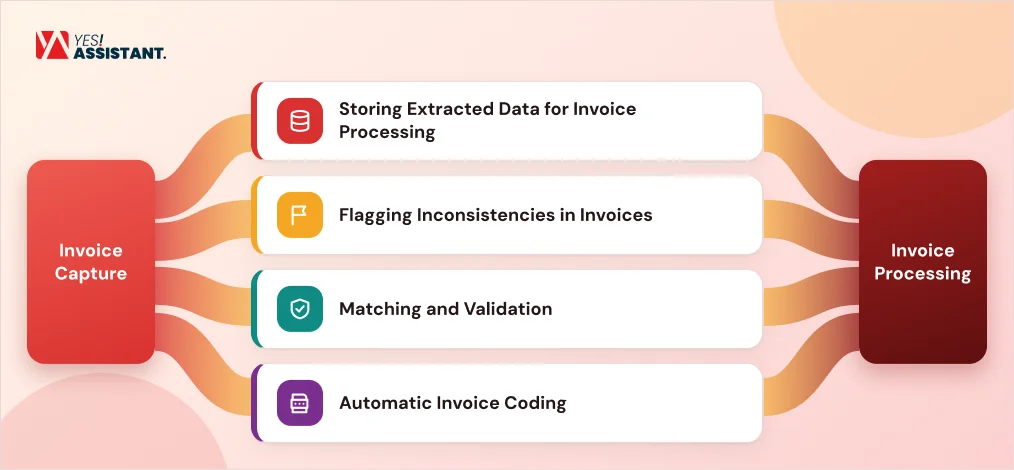
Storing Extracted Data for Invoice Processing
Invoice data extraction tools powered by AI, OCR and machine learning can store key information in the accounting or ERP system of a business. Manual data processing may require AP staff to store data for invoice processing as a separate task.
Flagging Inconsistencies in Invoices
Some AI-powered data capture tools can detect missing or incomplete information and incorrect layouts. They can flag invoices that need human review before sending them to the ERP system. These automated data capture tools can add an extra layer for screening for invoice exceptions.
Matching and Validation
Some AI-powered data capture tools can work with custom business rules and match incoming invoices against the master vendor file. They can detect invoices with missing POs or duplicate invoices before sending them to the ERP for processing while capturing data.
Automatic Invoice Coding
Some AI-powered invoice data extraction tools can suggest GL codes, cost centers, projects and departments based on past data and business rules. The AP team may have traditionally performed these tasks after capturing invoice data but now some can be supported or automated by AI data capture software.
Automating Invoice Capture vs. Invoice Processing: Which One to Choose?
A business needs to consider the cost, time, invoice volume and other key factors to decide whether they should automate invoice capture or the complete invoice processing workflow. Manual invoice processing can cost a business $8-$15 per invoice, while it can cost $1-$3 to process an invoice using automation.
This is why some businesses decide to automate their invoice processing. But using a fully automated system for invoice processing usually requires OCR, AI and ERP software. There is a setup cost for establishing a fully automated system. It can take 6-9 months and $140,000–$400,000 to implement a custom invoice automation system.
This is why you need to decide when you automate invoice capture and when you should automate the invoice processing system.
When to Automate Invoice Capture
Here are some situations when automating invoice capture can be a good decision for your business:
- The main challenge in your invoice processing is data extraction and data entry.
- The AP team of your business can handle the matching and validation manually.
- Automating the invoice processing workflow end-to-end requires significant investment.
- Integrating your existing ERP and accounting software with the invoice automation system can be challenging.
- The transition and training necessary to use the invoice automation system may disrupt your existing workflow and your business is not ready to handle it.
When to Automate Invoice Processing
Here are some situations where automating invoice processing can be a good choice for your business:
- The AP team wants to clear an invoice backlog that is disrupting cash flow, so they want end-to-end automated invoice processing.
- The business needs multi-stage invoice approvals from different roles and departments.
- The business wants to automatically perform 2-way and 3-way matching against purchase orders and goods received notes.
- The AP team needs to automate invoice documentation for future audits.
Conclusion
Invoice processing is a complete workflow of a business, which includes invoice data capture. There are several other steps in an invoice processing workflow, such as invoice validation, matching and routing for approval. AI and automation have made invoice data capture more advanced than it was before. AI-powered invoice data capture tools can perform more tasks than extracting invoice data. They can identify inconsistencies in the invoice and perform basic matching and validation. However, there are still some major tasks that may not be completed with automated data capture tools, such as invoice approval, payment processing and storing records after payments.
FAQs
What is the difference between invoice capture and invoice processing?
Invoice processing includes all the steps a business follows after receiving an invoice from suppliers, including processing payments and storing related documents for the future. Invoice capture is a single part of the invoice processing workflow.
What does invoice capture include?
Invoice data capture includes extracting information from invoices, which can be in email, PDF, image or physical documents. This information can be collected manually by the AP team or using technology like OCR and AI.
What does invoice processing include?
Invoice processing is a multi-step process in the accounts payable function that includes invoice data capture, matching, validation, handling discrepancies, routing for approval, payment processing and documenting the workflow with evidence.
Is invoice capture part of invoice processing?
Yes, invoice capture is a part of invoice processing, in which businesses extract information from invoices and store it in their accounting or ERP systems.
Can invoice capture and invoice processing both be automated?
Yes, invoice capture and invoice processing can both be automated by using technologies such as OCR, AI and machine learning. Automation can help the AP team reduce errors and costs in invoice processing.
What is the role of AI in invoice capture and processing?
AI can detect inconsistencies in invoice layout and format. It can be used to flag invoices that are duplicates, missing purchase orders or include incomplete information. AI-powered data capture tools can match invoices against purchase orders, vendor master files and goods received notes.