


What is Document Processing? Definition, Types, Process, and Benefits
Document processing is the method of capturing, extracting and organizing data from physical to digital form. This is one of the major steps in the document management workflow. It transforms information from an analog or manual form to a digital form.
Document processing requires many steps and a set of rules. But by using a document processing system, a company can digitally replicate the document’s original structure and layout. Since every business runs on data, document processing makes it easy for businesses to process large amounts of data at once.
This is why smart companies are moving towards document processing day by day. In 2026, businesses that skip document processing risk falling behind competitors who use it. Let’s learn the core methods of document processing and how it works.
Key Takeaways
- Uses OCR, ICR, and AI to turn documents into structured data.
- Processes invoices, contracts, IDs, resumes, receipts, and more.
- Works in four steps: Capture, extraction, validation, storage.
- Three types: Manual, Automated (ADP), and Intelligent (IDP).
- Key tech: OCR, NLP, machine learning, and RPA.
- Benefits: Speed, lower cost, accuracy, searchability, scalability, compliance.
- Data entry is manual typing; document processing is the full workflow.
What is Document Processing?
Document processing is the method used to read and process physical and digital documents. Physical documents include paper, letters, and reports. Digital documents include PDFs, images, and emails. It uses manual labour (Humans), artificial intelligence (AI) and optical character recognition (OCR) to extract and classify data.
Further, it turns it into a digital format that can be implemented for day-to-day business use. It further automates and increases the speed of document processing by structuring unstructured data. The main goal of data processing is to turn analog or digital data into organized and usable business data.
Simple Analogy for Non-technical Readers
Imagine manual document processing as working in a time when modern technology did not exist. You have to carefully go through hundreds of documents. Checking each line in huge mountains of mail, typing the details into spreadsheets, and do the rest. It takes a lot of time, more workforce, and is harder for businesses to understand and use.
It is like having a personal digital assistant who can read all the emails at once and pull out important data and numbers. It also enters the data into your digital database, where you can easily use that data for business purposes.
One-line Distinction: Manual vs Automated
To truly understand the core of automated data processing, it is important to know how both of them work. Here is how both are different from each other while having the same goal.
- Manual Document Processing: Relies entirely on human data entry. It makes it slow, with a possibility of typos, and difficult to process high-volume data at once.
- Automated Distinction: Relies on AI-assisted data entry and OCR, handles thousands of data points at once. Low chances of errors, lowers labor cost, well structured and easy to process.
How Document Processing Works
Document processing works by capturing documents, extracting data, validating and storing data. This can be done with computer vision algorithms, neural networks, or old manual data entry. The method depends on document complexity; simple forms suit automation, while messy or handwritten records often still need human review.
Here is a step-by-step breakdown of the whole process:
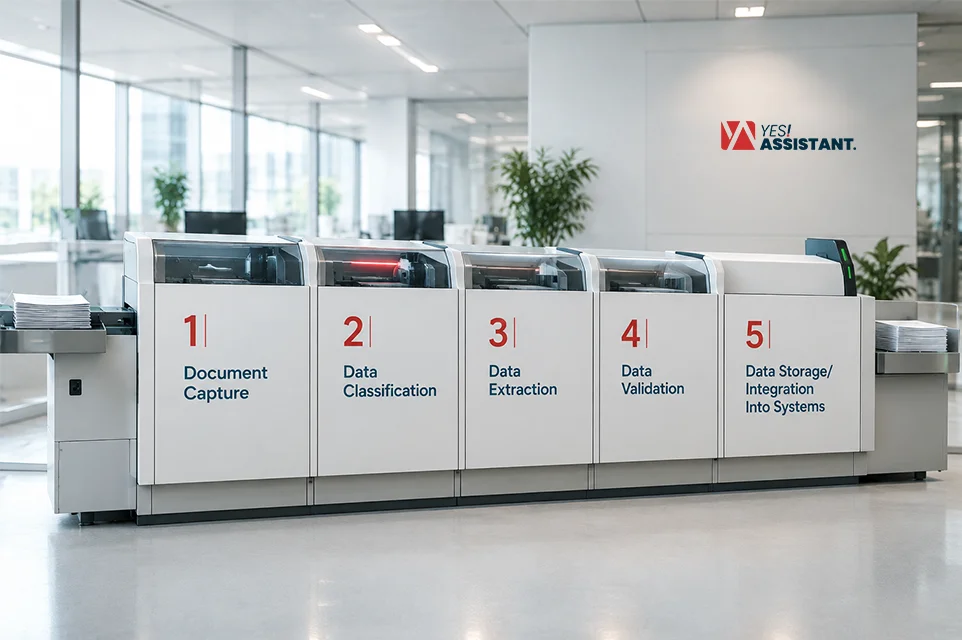
Step 1: Document Capture
The process starts with collecting and capturing documents. Common examples include invoices, medical records, and legal documents. These can arrive as scanned paper, email attachments, or files from cloud storage. Once collected, documents are ready for the next step: classification.
Step 2: Data Classification
Before any data can be extracted from its physical form, the system needs to know what kind of data it is. For example, a medical form looks different than an invoice or resume.
This step is dependent on the programmers. They set a program that has pre-installed data sets that tells them which document it is and what to scan from it. Once the program is set, it can now scan a new document and take the exact information it needs.
Since the program knows what to scan, it can now scan the data and map where the specific information is. Such as where the header goes, where the signature box is, where the name is and so on.
Step 3: Data Extraction
Since the system knows the layout and what to scan, it needs to read the text. For that, there are a few methods:
- Optical Character Recognition (OCR): OCR technology scans printed or typed text and converts it into digital editable text. Picture this like taking a photo of a document, and now you can copy or edit the text in the photo.
- Intelligent Character Recognition (ICR): This is mainly used for scanning handwriting. As handwriting is harder to understand and varies from person to person, ICR is specially made for it. ICR is trained to recognize different handwriting patterns, fonts, styles, and even messy handwriting.
- Manual Entry: Manual entry is the oldest way of data extraction. It’s basically a person typing information on the computer, instead of a system that scans text. It was the only way back in the day, but now it’s only used as a backup. It is required when systems can not read a document, so someone has to type it in manually.
Step 4: Data Validation
OCR, ICR, and even humans make mistakes; these mistakes can cause spelling mistakes, wrong numbers, unusual characters, and many more. To prevent these mistakes from causing something big, this step works as a quality check.
The system runs a data validation check. It checks if there is any unusual data, errors, or something the system can’t read. Then a human reviews and makes sure there is no risk of poor data entry.
Step 5: Data Storage/Integration Into Systems
Once the document has been scanned and validated, it now gets stored in a digital format that software can use. This means the data is not just sitting there as a static file, but it can be used for different purposes. Now it can be searched, added to a new database, and combined with other data to bring out the expected results.
Types of Document Processing
There are three top types of document processing approaches used by business owners. These approaches range from manual document processing to AI-driven document processing.
Here is a breakdown and a comparison of these three approaches:
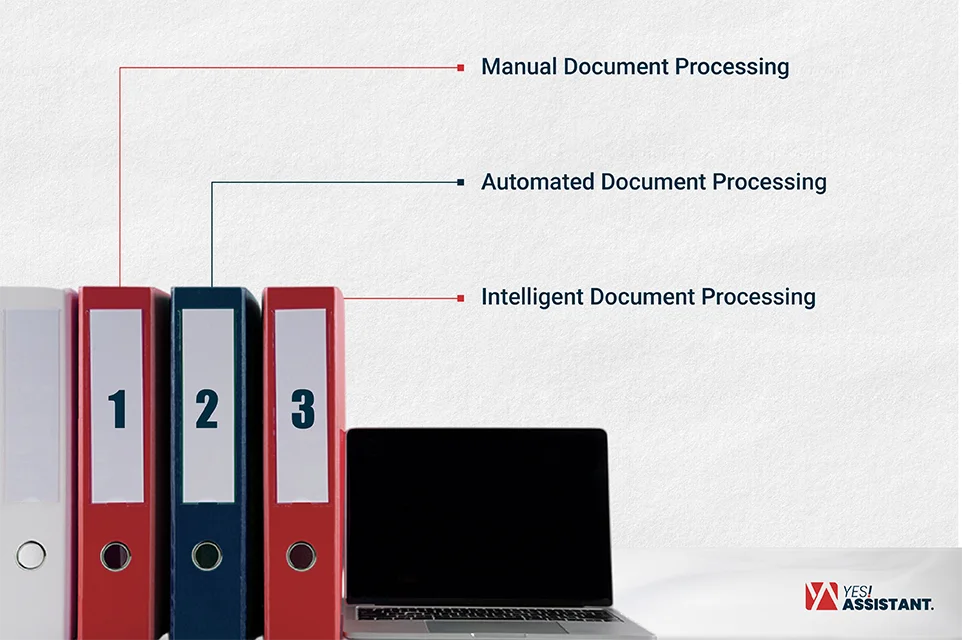
Manual Document Processing
This is the traditional way of data processing. A human reads each document and manually types it into the system. There is no software involvement, but only human effort. This approach was used by everyone at some point, but now it’s used by small businesses.
It also works for highly unusual data that does not follow any structure. But it has some downsides: it is slow, requires real human effort, and is more likely to have human errors.
Automated Document Processing (ADP)
Automated Document Processing (ADP) is also known as Robotic Process Automation (RPA). This system uses bots to extract data. The bots know where to look, what to extract, and where to put it. It reduces the need for manual labour by following specific rules.
It works well with structured and predictable data. But it struggles if the data is even slightly unpredictable. With slight changes, these bots get confused and stop working.
Intelligent Document Processing (IDP/AI-based)
IDP is one of the most advanced document processing methods. It includes both OCR, ICR, and AI modules. It can not only follow fixed rules, but it can also handle complex data. Such as messy handwriting, unusual patterns, unstructured formulas and similar items. IDP not only follows rules, but it learns and improves with time.
IDP is praised by businesses because it is like having a human with machine speed. It performs better than ADP because it can recognize certain patterns ADP can not.
Comparison table: Manual vs Automated vs IDP
Here is a comparison table of Manual vs Automated vs IDP:
| Category | Manual Processing | Automated (ADP) | Intelligent (IDP/AI) |
| Speed | Slow limited by human capacity | Fast for structured tasks | Fast, even with varied formats |
| Accuracy | Liable to human error | High for structured docs, breaks on exceptions | High, improves over time with AI learning |
| Cost | It varies from business to business. But on average, it costs $6-$8 dollars per document. Low upfront, high long-term labor cost. (Source: What is intelligent document processing?) | It varies from business to business. But on average, it costs around $3-$6 per document. Moderate setup cost, lower ongoing labor. (Source: Accounts Payable Killer Application for SharePoint) | It varies from business to business. But on average, it costs $0.25/doc on average. Higher upfront investment, lower long-term cost. (Source: Intelligent document processing Market size and share analysis) |
| Best Use Case | Small volumes, unique or one-off documents | High-volume, standardized documents (e.g., fixed forms) | Mixed or unstructured documents (e.g., invoices, handwritten forms, varying layouts) |
What Documents Can Be Processed?
Document processing is not limited to one or a few types of documents. It can process a wide range of documents, including invoices, medical documents, purchase orders, resumes, and others. Here is a list of documents that can be processed:
- Invoice: Extracting amounts, due dates, vendor details and beyond.
- Medical records: Digitizing patient information, clinic notes, and prescriptions for health care systems.
- Handwritten documents: Extracting dates, names, and information from handwritten documents.
- Purchase orders: Pulling out order details, quantities, and pricing for tracking.
- Contracts: Capturing key terms, clauses, signatures, and dates.
- ID documents: Extracting names, ID numbers, licenses, and expiration dates, etc.
- Resumes: Reading candidates’ details, work history, experience, and other important information for recruitment
- Tax documents: Extracting income, deduction, and filing details from important forms.
- Receipts: Scanning merchant names, dates, amounts, and other recipient-related information.
- Forms: Processing especially structured data for applications, account details, and balances.
- Bank statements: Capturing transaction history, balances, and account details for financial reconciliation.
Key Technologies Used in Document Processing
There are many document processing technologies available, and these models are used differently for different documents. Here are some top-of-the-line technologies used in document processing:
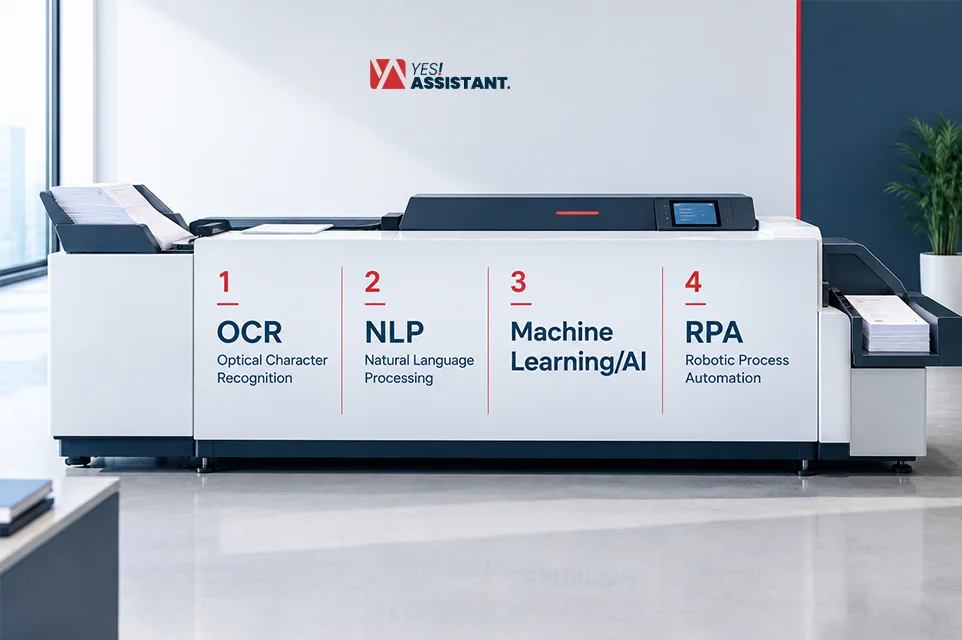
OCR (Optical Character Recognition)
OCR scans PDFs and images, then turns them into editable and searchable text. For example, it can turn scanned PDFs into clean spreadsheets. Commonly used for digitizing historical data, scanning receipts, and reading ID cards and license plates.
NLP (Natural Language Processing)
Natural language processing understands meaning, context, and human language structure inside the document. It is widely used for sorting emails by intent, extracting key terms from legal contracts, customer feedback and similar items.
Machine Learning/AI
Continuously improves data classification and data extraction quality. Used in categorizing bank invoices, predicting complex data, and finding fraud in legal documents.
RPA (Robotic Process Automation)
RPA in BPO automates repetitive workflows, data entry, and other repetitive tasks. Widely used for tasks like extracting text into ERP systems, automated notification emails, and moving files to specific folders.
Benefits of Document Processing
A document processing service benefits businesses by converting manual workflows into fast and automated systems. Other than that, there are more benefits of document processing like:
- Effective Time Saving: Eliminates manual labour and causes tasks to finish in seconds rather than hours.
- Major Cost Reduction: Major cost savings by cutting down human labour and physical storage.
- High Data Accuracy: Minimizes error, which means a lower chance of human error, and provides high-accuracy data.
- Instant Accessibility: Makes text fully searchable so employees can find critical data immediately.
- Business Scalability: Handles higher amounts of data at once and does not require extra staff or devices.
- Strict Regulatory Compliance: Creates a secure digital audit and protects sensitive data to meet legal standards.
What is Document Processing in AI
Document processing in AI means integrating artificial intelligence in document processing, such as ML, neural networks, computer vision, and many more. It is a combination of OCR, ICR, and machine learning. It can read, understand, and extract information from documents without needing a human assistant.
Unlike traditional systems that can only recognize one or a few patterns, AI learns and grows its capabilities. It learns from previous patterns and looks everywhere instead of looking for a specific box. AI understands the context in the document and collects data according to it.
This is what AI is in document processing. It breaks traditional rules and errors. Where other systems break when they see an unusual pattern, AI reads and tries to understand the pattern. With every complex document, AI gets smarter, which is the best part about it.
It is also called intelligent document processing (IDP), and this is just an example of how AI is bringing a revolution in the documentation process.
Document Processing vs Data Entry
Document processing vs data entry, these terms often get mixed up. Many people think document processing and data entry are the same thing, whereas in reality they are very different.
Here is why data entry and document processing are not the same thing:
Data Entry: It is the act of manually typing information into a system; it requires a human to read and manually enter the data.
Documentation: This is a bigger process of capturing, reading, extracting, validating, and storing data from a physical or analog document. And data entry is just a small part of document processing, but not always. Because documentation does not require data entry, it often uses AI or models like OCR, ICR, or IDP. Document processing can also do the reading and entering part without any human involvement.
Here is a comparison table between Document processing and data entry:
| Category | Data Entry | Document Processing |
| What it is | Manually typing information into a system | The end-to-end process of capturing, reading, extracting, validating, and storing document data |
| Who/what does it | A person, by hand | A person, software (RPA), or AI (IDP) or a mix of all three |
| Speed | Slow, limited by human typing speed | Can range from slow (manual) to fast (automated/AI) |
| Scalability | Poor, doesn’t scale well with volume | Strong, especially with automation or AI |
| Error–prone | Yes, human fatigue and typos are common. | Depends on method but AI/automation reduces manual error over time |
| Relationship | One possible method used within document processing | The bigger system that data entry can be a part of |
| Scope | One narrow task (typing data) | A full workflow (layout detection, extraction, validation, storage) |
FAQs
What is the purpose of document processing?
The main purpose of document processing is turning physical, messy data into neat digital data. It reduces manual data entry errors, saves time, and makes work much faster and scalable. Clean, clear, and easy-to-integrate data often improves business revenue.
What is an example of document processing?
A very common example of document processing is scanning paper bills into a computer system. Once scanned, the software reads the customer name, numbers, their purchases, calculates total cost, and sends it to the billing section. In short, it recognizes and collects data, processes it, stores and executes it.
What is intelligent document processing (IDP)?
Intelligent document processing (IDP) is a smart system. It uses technology like artificial intelligence and machine learning. This can read complex data, handwriting, and even understand the context like a human. The best part is it doesn’t get stuck on a different pattern. Instead of getting stuck, AI analyzes data and learns to execute it perfectly.
Is OCR the same as document processing?
No, OCR and document processing are not the same thing. OCR is just the first step; it simply converts pictures into scannable text. Document processing requires many other steps. It takes that text, learns context, and organizes and stores the data for future use.
What industries use document processing the most?
Most of the data-driven industries use document processing, such as banks, insurance firms, healthcare, government offices, and legal services. These industries handle high-volume paperwork because of that, they are dependent on document processing. Mainly, industries that have to collect huge amounts of data use document processing most.
How does AI improve document processing?
AI improves document processing by using machine learning, computer vision, and natural language processing. By using these methods, AI can understand context, automatically identify and classify files, and extract data from unstructured formats. AI improves itself by processing unstructured and unusual data.