
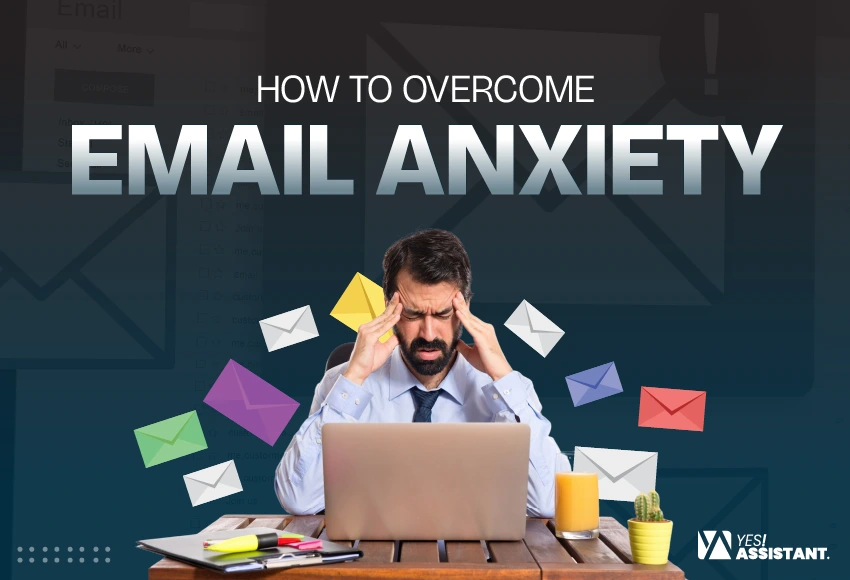
How to Overcome Email Anxiety: Tips to Stress-Free Inbox
Email anxiety is the cause of storing plenty of emails in your inbox. Excessive email blocks the primary inbox, creating pressure and overwhelming users. For many users, those emails can indicate tasks that don’t meet expectations that create fear, meaning you’re missing something important.
Let’s know the signs of anxiety, the main causes, and an effective approach to overcome these concerns.
Definition and Common Symptoms
Email anxiety is an advanced psychological aspect that is characterized by tension, overwhelm, or panic associated with your inbox. It begins with fear of unread messages, lingering tasks, and unmet expectations, and pressure from constant connectivity.
Common symptoms manifest both mentally and physically:
- Procrastinating on opening the inbox or delaying responses for days.
- Increased heart rate, shallow breathing, sweating, and tiredness upon getting an email notification.
- Read short replies multiple times before sending, or overthink how your tone will be noticed.
Why Email Anxiety Happens
Users’ psychology regarding email communication is naturally stressful due to its unparalleled nature, missing contextual cues (like body language or tone), and the lack of a clear finishing line.
- Missing Tone: Without proper tone or body language, readers often feel anxious and interpret normal texts negatively.
- Wait Too Long: The delay between sending and receiving responses leaves you in a state of uncertainty.
- Automated Notification: In a digital workspace, studies reveal that even an email notification can shift the nervous system into high alert.
Who Experiences Email Anxiety?
While anyone disposed to general or social anxiety is highly vulnerable, you don’t need a diagnosed anxiety disorder to feel stressed by your inbox. According to experts at the Cleveland Clinic, the phenomenon is particularly common.
- High-achievers: Some people set high perfectionist standards and fear making mistakes or disappointing clients.
- Remote or Hybrid workers: People who struggle with remote work set boundaries between work and home life, turning their email into an “always-on” demand.
- Socially anxious individuals: People often worry about how their written words are viewed and are interrupted by colleagues or bosses.
Signs of Email Anxiety Affecting Your Productivity
Email anxiety is a stress response that is activated by reading, thinking, or managing messages. This creates an “always-on” expectation that severely damages your productivity. It leads to procrastination, demanding communication, and physical burnout, often leading your work environment into sources of chronic pressure.

Behavioral Indicators
Identify the common signs of email stress. The following patterns represent the most common behavioral indicators that your inbox chaos becomes an anxiety-driven cycle.
Avoidance & Procrastination
You become inattentive to your unread messages gathering in your inbox, or you may delay responses to avoid engaging with difficult tasks.
Hyper-Checking
Constantly refreshing your inbox or keeping email open on a second monitor to avoid the dread of a growing backlog.
Drafting Over-Analysis
Spending a significant amount of time rewriting, editing, and overthinking short messages to displace any potential misunderstanding.
Off-Hours Triage
Read, review, and respond to work on emails late at night, or during the weekends, like being forcefully pushed to do it.
Emotional Indicators
These signs indicate you’re dealing with digital burnout and workplace anxiety. When simple notifications feel like physical threats, your brain signals cognitive leads that have exceeded your healthy limits.
Anticipatory Dread
Leave your phone in another place in your house for short periods to reset your primary anxieties.
Rumination
Overthinking already replied messages in your mind regarding organizing word choice, or misinterpreting neutral emails from colleagues, or criticism.
Decision Fatigue
Gather a significant number of emails in your inbox. This is resulting in an inability to prioritize your tasks or make simple decisions.
Emotional Exhaustion
Feeling exhausted or experiencing burnout due to pressure from checking email or replying. You’re also overthinking your tasks even after working hours.
Business and Career Impact
Daily gathering messages cause stress and interrupt teamwork, which damages your professional success. Any kind of delayed or poorly written replies may cause frustration and misunderstanding with coworkers.
Reduced Deep Work
Consistent email interruptions disrupt your focus. Research shows that when you switch from your ongoing tasks, it will take 23 minutes more to return to your task.
Missed Opportunities
Any kind of delaying responses to important emails or client queries out of fear or overwhelm ultimately demands your professional reputation.
Impaired Team Communication
Staying quiet about important messages. This happens as you don’t worry about what others will think.
Career Stagnation
Lower your overall job performance and professional satisfaction. This stems from chronic cognitive overload and workplace burnout.
Business owners mainly burn out from bulk queries. Better to assign a virtual assistant to make your “inbox-Zero.” Thus, you’ll get free space to set strategic values.
What are the Main Causes of Email Anxiety
Email anxiety causes overwhelming volume and constant demand to monitor messages. It adversely affects mental well-being and productivity. This interrupts your daily tasks due to constant pressure to respond instantly.
Perfectionism in Communication
Most of the people overthink email drafts, worry about the exact tone, typical mistakes, and clarity. Therefore, flawless communication creates a significant mental tool for repetitive tasks, slowing your response times and elevating stress.
- Overthink About Perfection: You’re concerned about style, perfection, and typos that create fear and linger to reply quickly.
- Lack of Automation: Busy professionals have no time to think more or follow a specific style. Therefore, automate your email so that the system can reply according to the requirement.
Inbox Overload
Receiving too many emails shortly creates cognitive overwhelm. When your inbox is constantly flooded with task assignments, like “cc threads” and “notifications,” you can lose control and miss important information.
- Lack of Labelling: Spend no time planning for labeling inboxes. This could organize your email and help you reply to important emails.
- No Filtering Option: Unable to set rules, failing to filter, and pass the corresponding email into the related folder.
Fear of Conflict
Replying to important clients’ messages is essential. Any kind of delays or corrections on sensitive issues is significantly stressful. The absence of an email salutation and text language makes your email highly stressful for misunderstanding.
- Procrastination Trap: Become worried about how people react to sending messages. This stops your mind from proceeding with email replies.
- Miss Understanding: Text message has no live expression or body language. Therefore, send replies with fear of clients’ anger or a bad impression.
Lack of Clear Communication Skills
State your topic and the action required. So the reader knows exactly what to expect. When instructions are not clear, the recipient becomes confused about messages.
- No Clear Idea About Client: Sender doesn’t know enough about clients expectation, business needs. Therefore, messages become unclear and unclear to the customer.
- Send Email Without Planning: Due to other urgent work, send becomes rushed to send the email without planning. Thus, missing important issues or points missing for the client.
Workplace Culture
Sometimes bosses become autocratic to force team members to check and reply to emails outside of other urgent tasks. Companies expect employees to reply to emails without any delays, which requires them to be available 24/7.
- Increase Risk of Turnover: When employees face heavy pressure to check & reply, they find a better way to switch.
- Decrease Productivity: Forces employees to consistently focus on email management drains focus significantly, lowering overall productivity.
Step-by-Step Approach to Overcome Email Anxiety
To overcome email anxiety, take some easy steps: write easy drafts daily and reply to the sender. Implement the batching technique and use the 5D’s (delete, do, delegate, defer, and defend) for eliminating anxiety and writing better. See the step-by-step actionable steps to overcome your email anxiety.

1. Stop Aiming for Perfect Emails
Focusing on perfection is the main killer of your productivity. Always remember that a clear, concise, and salutation message is better than a bit delayed, flawless drafting.
- Set boundaries instead of chasing perfection.
- Adjust to a good enough standard.
- Schedule fixed email blocks.
2. Create an Email Routine
You don’t need to open your inbox all day; just batch your email processing time. Schedule 2-3 specific times a day (like 10:00 AM, 1:00 PM, and 3:00 PM) to check and answer your emails.
- Set designated checking windows.
- Let’s go to make “Zero inbox.”
- Work within your time slots.
3. Use Templates for Repetitive Emails
If you find drafting similar responses, create templates. Prepare a blank ready-to-use draft for common replies, meeting requests, or status updates. Make a list of tools that are required to set up your replies.
- Speeds up processing for repetitive answers.
- Use tools to insert your email drafts.
- Eliminate your decision fatigue.
4. Practice the Two-minute Rule
If an email requires a response that will take two minutes or less, do it immediately. Answer quickly to reduce the backlog of small tasks and make your daily tasks easier.
- Respond immediately to quick requests.
- Batch your two-minute replies.
- Defer longer emails and mental noise.
5. Use Drafts Strategically
If you stress drafting a rough response, just stepping away from a difficult email gives you mental distance. Later, you can return to the task with a clear and easy format.
- Start practicing with easy drafts.
- Build an easy draft library.
- Park difficult emails to recover perspective.
6. Learn Basic Email Frameworks
Always work with proven structures to speed up your writing. Use the BLUF method (bottom line up front), which is effective for email writing.
- State the exact email purpose effectively in the first sentence.
- Provide necessary details or background.
- Clearly state what you need from the recipient.
Conclusion
Check your important messages at specific times to reduce your anxieties. An email should not control your day or self-worth. Identify the major signs of email anxiety and take measurable steps to avoid burnout.
Additionally, build templates for repetitive replies and develop a strategy for prioritizing which emails to check and scheduling dedicated blocks for the next step.
FAQ
How do I stop being nervous about emails?
Overcome your email anxiety to shift your mindset and establish predictable routines.
How often should I check emails?
To reduce stress, most professionals check email in designated batches (like 2-3 times a day) rather than keep their inbox open all day.
How do professionals write emails quickly?
Professionals write emails quickly by using templates for repetitive answers and providing information that is straight to the point.